WhatsApp AI Assistant 2026–2027: 24/7 Auto Replies, Bookings and Sales Guide
What a WhatsApp AI assistant is, how it differs from the Business app, API and chatbots, how Meta rules work, how it drives sales and how to launch in 7 steps.
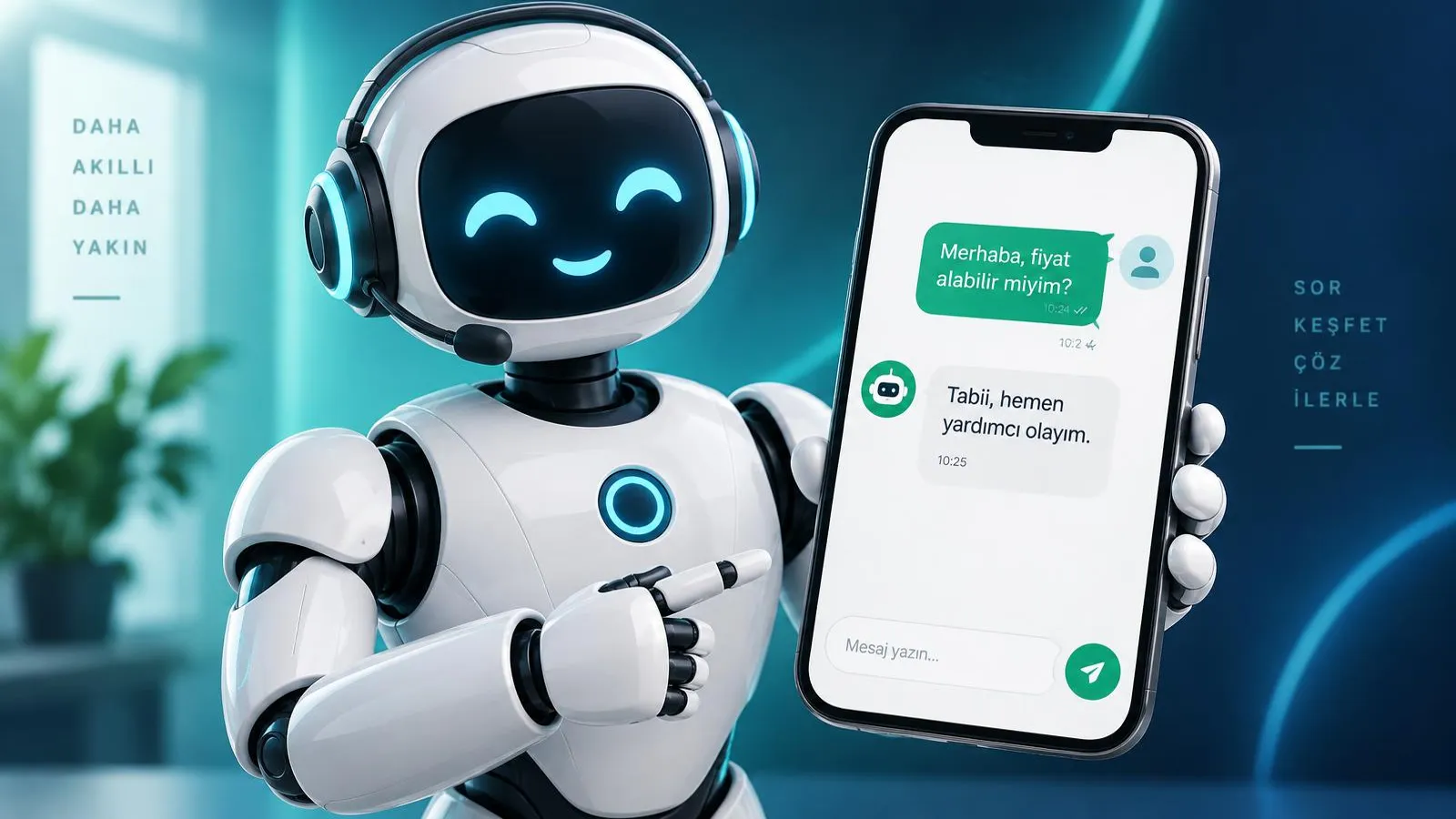
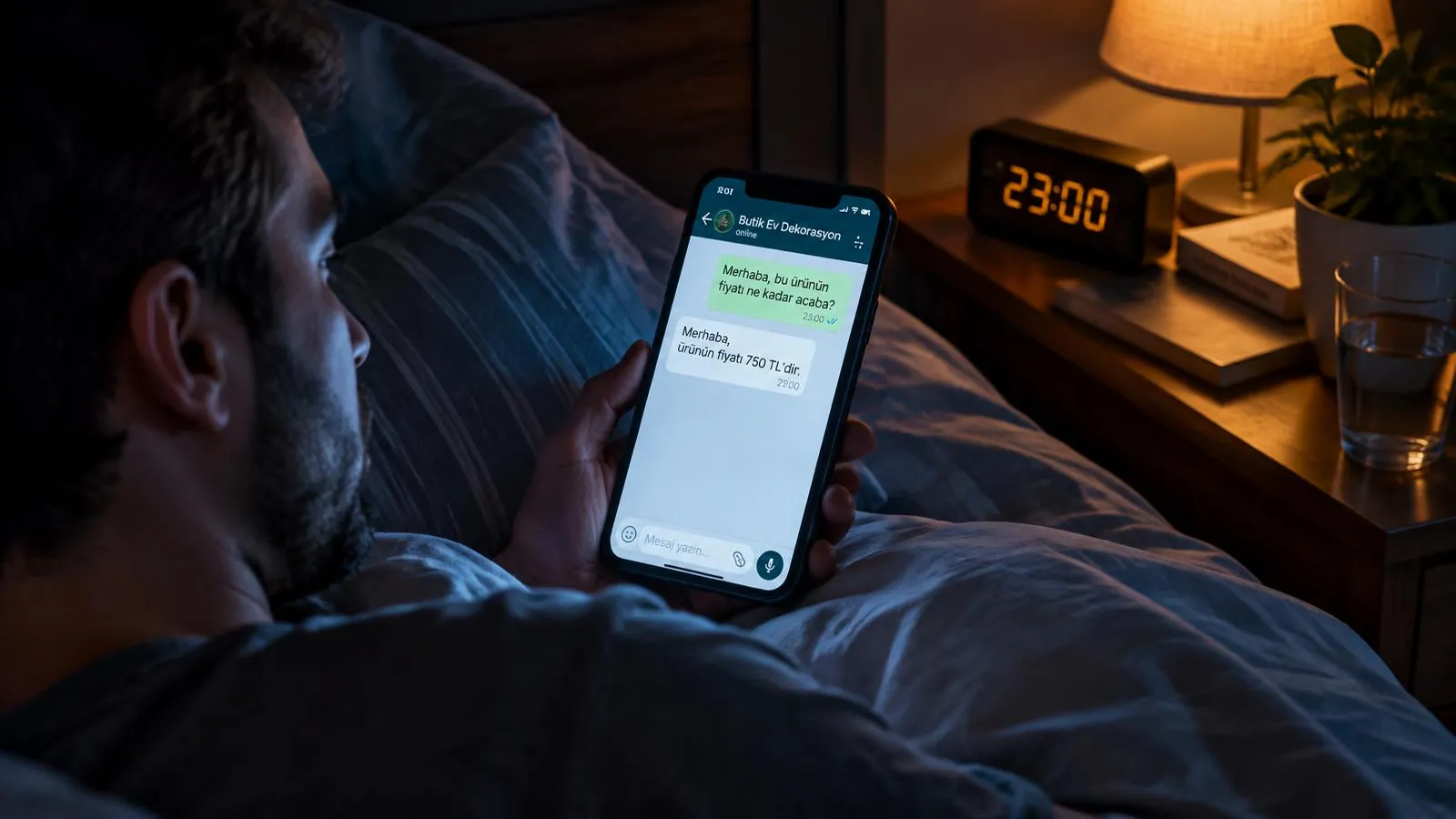
A WhatsApp AI assistant is an AI that replies within seconds, day and night, in natural language to customers who message your business on WhatsApp, books appointments, logs requests and hands the conversation to your team with a summary when needed. Many customers write on WhatsApp first to ask a price, check availability or report a problem. In 2026–2027, replying late means sending the customer to a competitor. This guide explains what a WhatsApp AI assistant is, how it differs from the WhatsApp Business app, the API and classic chatbots, Meta’s rules and fee logic, flows that turn chats into sales, industry scenarios, setup steps and what to check before you buy.
What is a WhatsApp AI assistant?
A WhatsApp AI assistant is a digital team member that understands a customer’s message, finds the right information and brings the conversation to an outcome. Sesla AI, which manages phone and WhatsApp on one platform, answers both calls and messages with the same AI on Türkiye’s most advanced AI call center infrastructure, so customers get the same correct information whichever channel they use.
A classic WhatsApp chatbot works with pre-drawn button trees: "Press 1 for prices, 2 for our address." An AI assistant understands free text. When a customer writes "do you have a free slot tomorrow late afternoon, and how much is it?", it catches both questions and answers both. It rests on three abilities: understanding, knowing and doing.
- Natural language: understands typos, abbreviations and loose sentences, and remembers the context.
- Knowledge base: services, hours, address, price ranges and FAQs are read from the source you approved.
- Taking action: creates appointments, logs requests or orders and hands over when needed.
- Voice notes and photos: it can understand voice notes and attach photo requests (e.g. a fault image) to the record for the right team.
Together, these abilities turn a WhatsApp auto reply from a simple "we received your message" into a conversation that actually gets the customer’s job done. For channel details see our WhatsApp AI solution.
WhatsApp Business app vs. API vs. chatbot vs. AI assistant
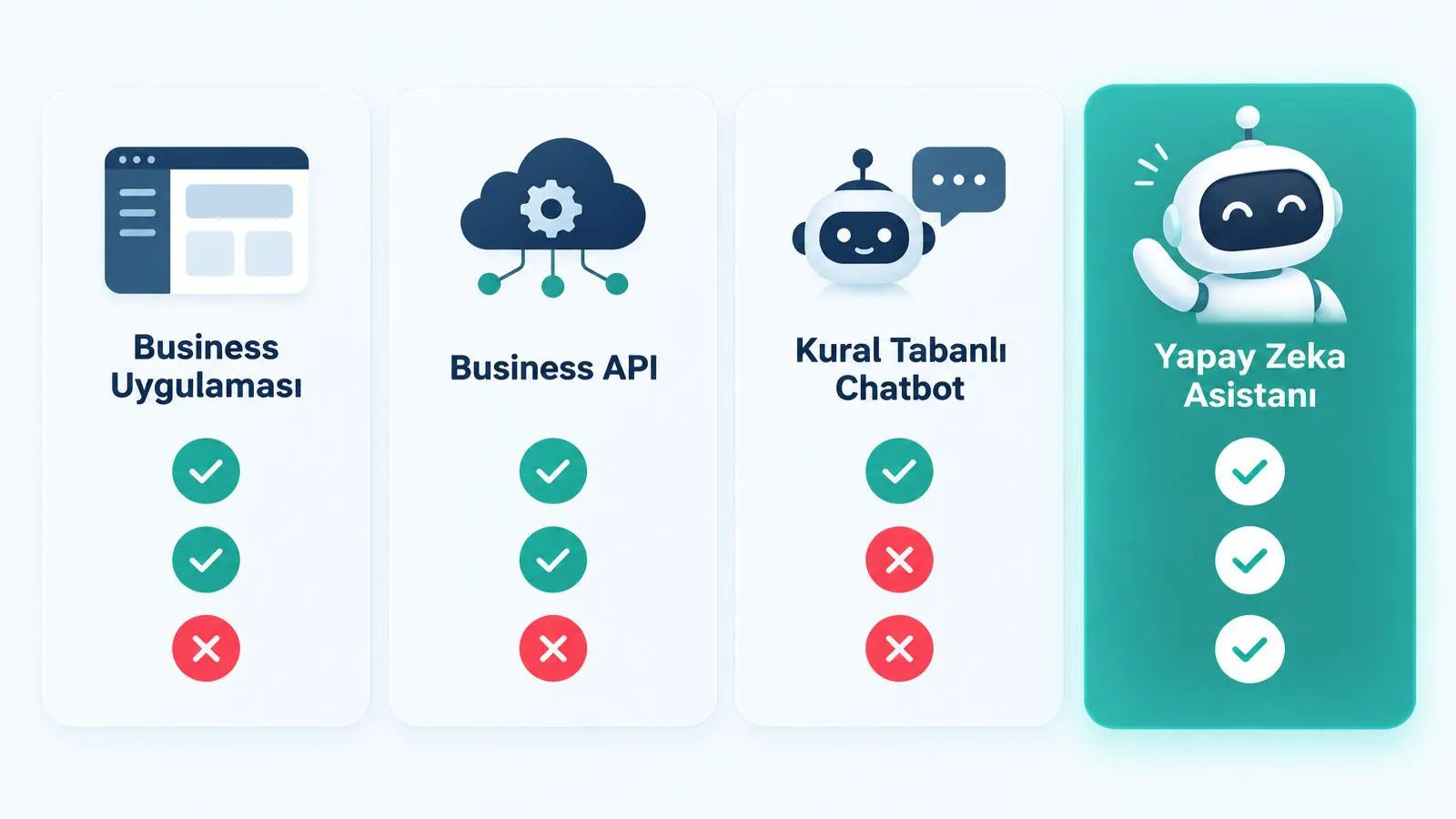
The WhatsApp Business app is for small teams typing by hand, while the WhatsApp Business Platform (API) is designed for automation and integration; an AI assistant runs on top of the API. A rule-based chatbot and an AI assistant can use the same infrastructure, but their ability to understand and act is very different.
| Criterion | Business app | Business Platform (API) | Rule-based chatbot | AI assistant |
|---|---|---|---|---|
| Who replies? | The team, by hand | Connected software | Pre-written flow | AI, from the knowledge base |
| Understanding | Human | Depends on software | Buttons and keywords | Free language and context |
| 24/7 replies | Only a canned greeting | Possible | Simple questions | Yes, including actions |
| Appointments and records | Manual | Via integration | Limited | Via calendar and records |
| Team handover | None | Depends on software | Without context | With summary to the right person |
| Scale | Few devices | High volume | Medium | High volume |
| Reporting | Basic stats | Depends on software | Click counts | Topic, outcome and follow-up |
An important note: automating a business number requires the official WhatsApp Business Platform. Unofficial browser extensions or tools that automate a personal account break the terms of use and can get the number restricted.
What does a WhatsApp AI assistant do?
A WhatsApp AI assistant answers routine questions, creates appointments and requests, follows up with consent and hands over when needed. The tasks below can be delegated from day one.
- Price, availability and address questions: consistent answers from the approved knowledge base.
- Appointments and Google Calendar: checking free slots and writing the appointment straight into the calendar.
- Orders and requests: collecting name, phone, address, product or fault details completely.
- Reminders and follow-ups: only to customers who gave consent, using Meta-approved templates.
- Handover with summary: complaints, special price requests or expert topics go to the right person with a summary.
- Multiple languages: foreign customers get answers in their own language.
How does the 24-hour session window work?
When a customer writes to you on WhatsApp, a customer service window opens. While it is open, the assistant and your team can reply with free text. Once a set time (usually 24 hours) has passed since the customer’s last message, the window closes; after that, the business can only start a conversation with a template approved by Meta. Good WhatsApp automation handles this automatically: a natural reply when the window is open, an appropriate approved template when it is closed.
Meta fees and rules: what you need to know
Message and template fees on the WhatsApp Business Platform are set by Meta and are not included in Sesla plans. Fees vary by message category (such as marketing, utility or authentication) and by country, and Meta updates them from time to time. Check Meta’s official pricing page for current amounts. Customer-initiated service conversations answered inside the window and business-initiated template messages can be charged differently.
- Approved templates: every message sent outside the window must be a template approved by Meta in advance.
- Opt-in: the customer must have explicitly agreed to receive WhatsApp messages from the business.
- IYS: in Turkey, commercial electronic messages follow the Message Management System (IYS) rules; marketing consent must be registered there.
- Data protection: prepare a privacy notice for message content and personal data (KVKK in Turkey, GDPR in the EU) and define retention periods.
- Messaging limits: new numbers can send template messages to a limited number of people per day; the limit rises step by step with the number’s quality and history.
- Quality rating: blocks and reports from users lower the number’s quality and can tighten limits.
At Sesla, outbound messages are used only for consent-based communication; details are in our consent-based communication policy. Sesla’s own plans are listed transparently on the pricing page.
How does a WhatsApp AI assistant increase sales?
A WhatsApp AI assistant contributes to sales by moving a customer who asks a price straight to the next step, an appointment or an order, without waiting. A price question is often a buying signal; if the answer comes late, the customer writes to other businesses too, and the first to reply wins.
- 1. Fast first reply: the customer gets an answer as soon as they write.
- 2. Clear information: the price range and what it depends on are explained openly.
- 3. Qualification: need, budget, date and area are collected with natural questions.
- 4. A proposed next step: a concrete option such as "Does tomorrow at 10:00 or 15:00 suit you?"
- 5. Recording: the appointment goes into the calendar, the request into the dashboard.
- 6. Consent-based follow-up: a polite reminder with an approved template for undecided customers who gave consent.
Measure the effect of response speed with your own data
Use your own numbers instead of general percentages. Group the last three months of WhatsApp conversations by first response time (e.g. under 5 minutes, 5–60 minutes, over an hour) and count how many in each group became an appointment or a sale. Repeat the measurement after the assistant goes live. We explain this step by step in our WhatsApp response time article.
| First response time | Conversations | Appointments/orders | Conversion rate |
|---|---|---|---|
| Under 5 minutes | Your data | Your data | Appointments ÷ conversations |
| 5–60 minutes | Your data | Your data | Appointments ÷ conversations |
| Over 1 hour | Your data | Your data | Appointments ÷ conversations |
| After hours | Your data | Your data | Appointments ÷ conversations |
WhatsApp AI assistant scenarios by industry
A WhatsApp AI assistant works in every industry where customers write first. One concrete scenario per industry:
Clinics and dental practices
A patient writes "how much is an implant and when can I come for an examination?". The assistant explains that the price depends on the examination, gives the consultation information from the knowledge base and books a slot. It gives no medical opinion.
Real estate
Someone who saw a listing asks for photos and the service charge. The assistant shares listing information, notes budget and room count, schedules a viewing and leaves a summary for the agent.
Service and boiler repair
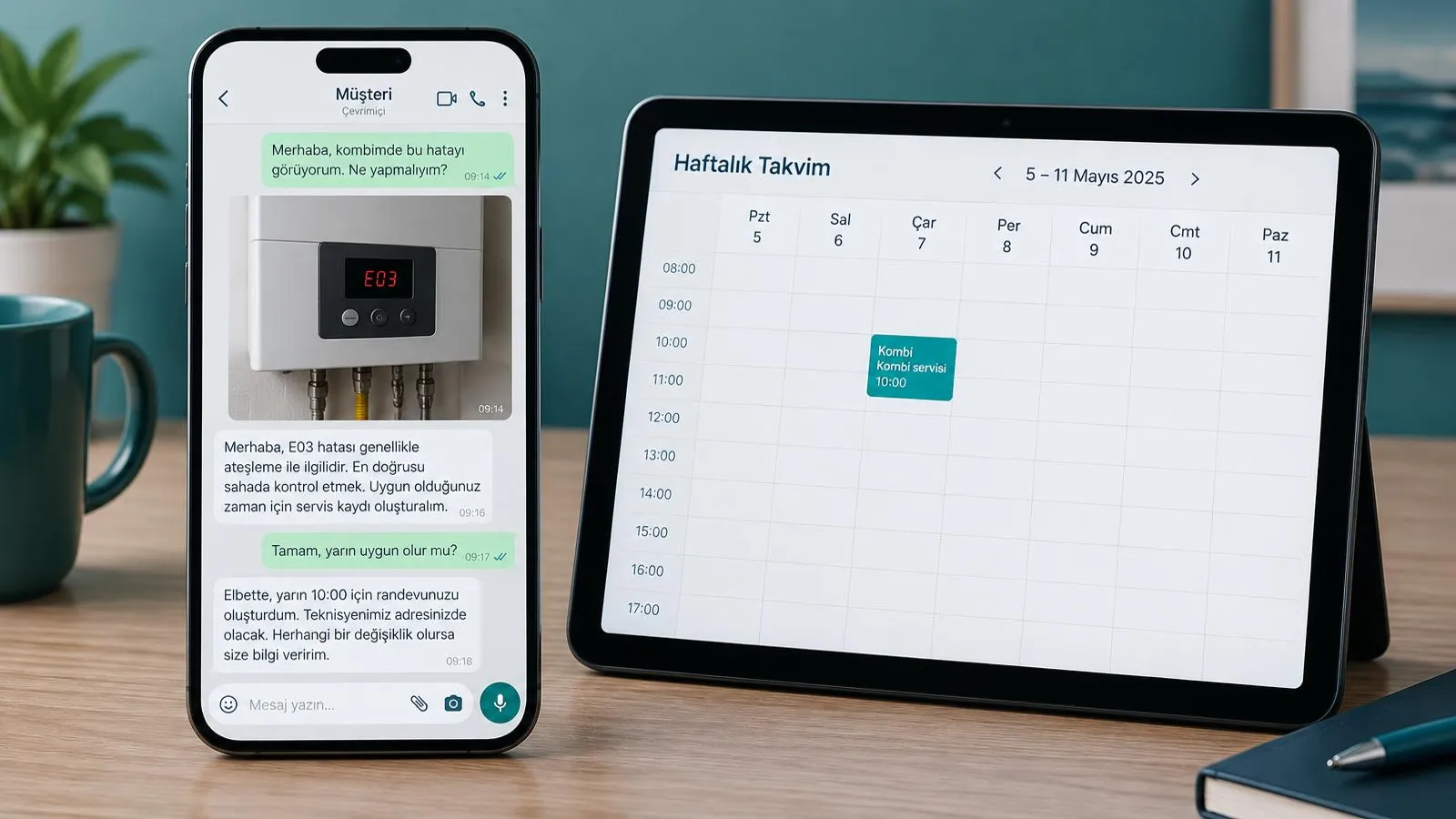
A customer sends a photo of the error code on the boiler display. The assistant attaches it to the record, takes brand and address, books a service visit and routes the request to the right technician.
E-commerce
A customer asks whether a size will fit and how long returns take. The assistant explains the size chart and return terms, notes the order number and hands shipping issues to the team.
Beauty salons
A customer wants a facial on Saturday. The assistant gives the duration and free slots, books the appointment and sends a reminder the day before with an approved template to customers who gave consent.
Medical tourism (multilingual)
A patient from Germany writes in German, another from London in English. The assistant answers each in their own language, collects initial information and preferred dates and schedules a call with an advisor. Details on our medical tourism page.
Realistic WhatsApp chat example: a boiler fault
The example below shows how a boiler service’s WhatsApp AI assistant turns a fault report with a photo into an appointment and a technician assignment. Names are illustrative.
- Customer: "Hello, my boiler has had no hot water since this morning, there is an error on the display." [photo]
- Assistant: "Hello, sorry to hear that. I am Heat Service’s AI assistant. I received your photo and added it to the record. Could you tell me the boiler brand and your district?"
- Customer: "Brand X, Kadıköy Moda."
- Assistant: "Thank you. Do you smell gas? If so, please close the valve and call the gas emergency line right away; your safety comes first."
- Customer: "No, just no hot water."
- Assistant: "Understood. Our technician in Kadıköy is available tomorrow at 10:00 or 14:00. Which suits you?"
- Customer: "10:00, please."
- Assistant: "May I have your full address and name?" — Customer: "Ayşe Demir, Moda St. No 12 Flat 5."
- Assistant: "Ms Demir, I have booked your service visit for tomorrow at 10:00. I passed the photo and fault details to our local technician. The visit fee and any parts will be confirmed on site by the technician. Anything else I can help with?"
- Customer: "No, thanks."
- Assistant: "You are welcome, have a good day."
The assistant made no diagnosis, quoted no invented price, asked about the safety risk first and brought the job to an outcome. Before setting off in the morning, the technician sees the record with photo, address and summary.
Phone + WhatsApp + Instagram: one AI, shared memory
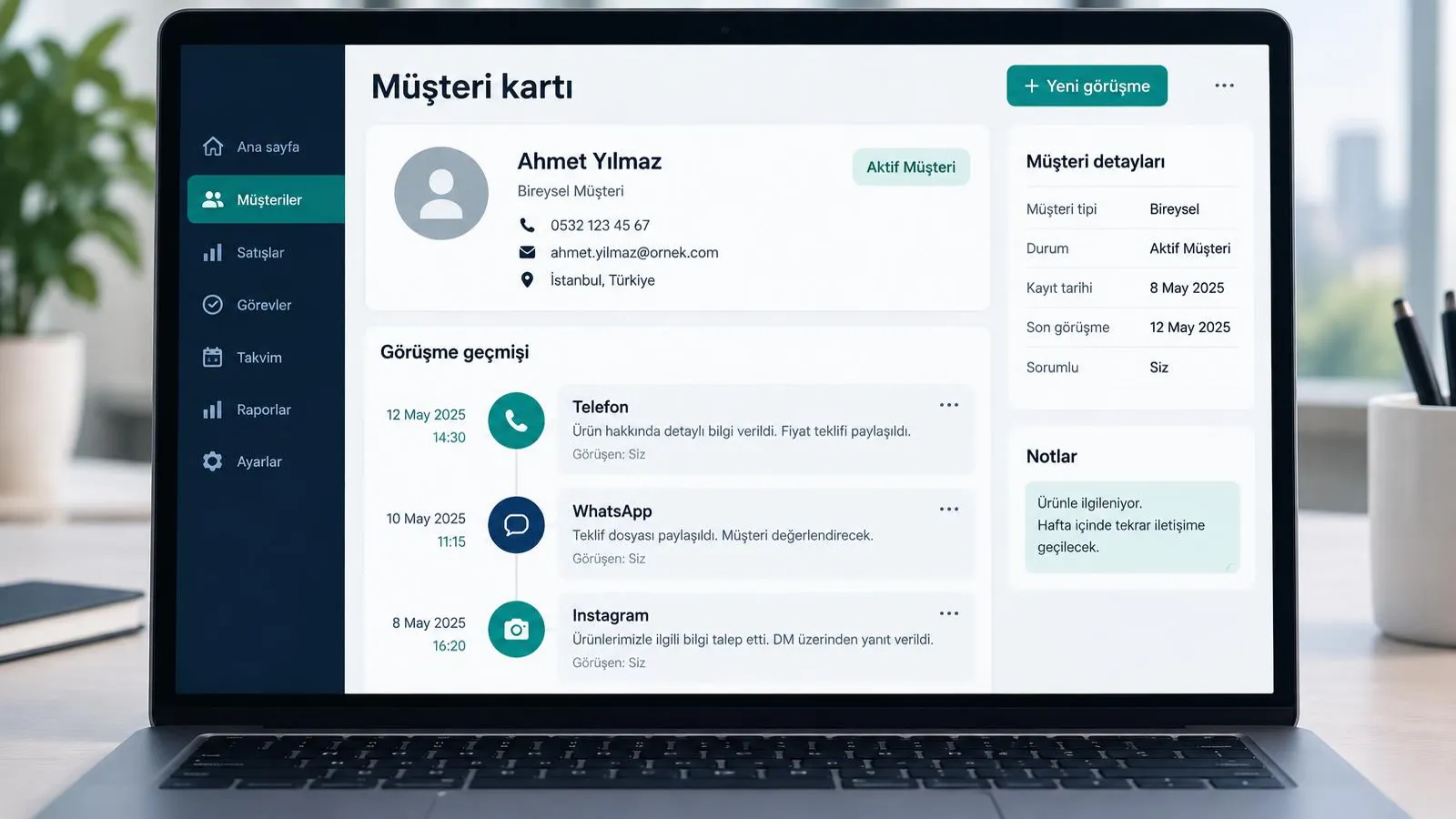
The best results come when the same AI manages phone, WhatsApp and Instagram with one knowledge base and shared customer memory. When a customer calls today and writes on WhatsApp tomorrow, the assistant knows the previous conversation and the open appointment and does not ask the same questions again.
- One knowledge base: when a price or opening time changes, it is updated in one place and every channel gives the same correct answer.
- Shared memory: the same person’s phone number and WhatsApp conversations merge into one customer card.
- Follow-up: after a call, a summary or reminder can go to consenting customers on WhatsApp.
- Instagram and Messenger: messages from social media are answered under the same rules.
At Sesla, Instagram messages, WhatsApp and phone are managed by the same AI; for voice calls via WhatsApp see our WhatsApp calling solution. We explain how the phone side works in our voice AI assistant guide.
Setup: a WhatsApp AI assistant in 7 steps
If the number and Meta account are ready, a WhatsApp AI assistant can go live quickly. This is the order we follow at Sesla:
- 1. Number and Meta account: choose the number for the WhatsApp Business Platform and the business’s Meta account. If the number is used in the app, migration options are reviewed together.
- 2. Business verification: verify your business details on Meta and complete the display name and profile.
- 3. Knowledge base: gather services, price ranges, hours, address, FAQs and off-limits topics in one document.
- 4. Templates: write message templates for appointment confirmation, reminders and follow-ups and submit them for Meta approval.
- 5. Handover rules: define when and to whom to hand over, business hours and emergency replies.
- 6. Testing: run dozens of test chats in your team with different scenarios (price, booking, complaint, voice note, photo).
- 7. Monitoring: read conversation summaries daily in the first weeks, add missing information and improve templates.
For setup details and scope see our WhatsApp AI page; to hear how the assistant talks, try the live demo right away.
Checklist for choosing a WhatsApp AI assistant
To choose the right WhatsApp AI assistant, question language quality, official API use, handover, template management, reporting, data protection and price transparency.
| Criterion | Question to ask | Why it matters |
|---|---|---|
| Language quality | Does it understand typos, abbreviations and voice notes? | Customers do not write formally |
| Official API | Is the WhatsApp Business Platform used? | Unofficial tools put the number at risk |
| Handover | When and how does it hand over, and with a summary? | Hard conversations should stay with people |
| Template management | Who prepares templates and how does approval work? | Messages outside the window need templates |
| Reporting | Are there conversation summaries, topic and outcome reports? | You cannot improve what you do not measure |
| Data protection | Where is data stored, for how long, who accesses it? | Legal duty and trust |
| Price transparency | Are plan fees and Meta fees shown separately? | No surprise invoices |
| Multichannel | Do phone and Instagram use the same knowledge base? | Consistent customer experience |
Common mistakes and risks
The biggest risks in WhatsApp automation are using unofficial tools, sending bulk messages without consent, giving wrong information and not handing over to a person.
- Unofficial tools: extensions that automate a personal account or the Business app can get the number restricted or banned.
- Bulk messages without consent: messaging bought lists or people who did not consent breaks both IYS and Meta rules and raises block rates.
- Wrong information: if the knowledge base is outdated, the assistant may quote an old price; it should never invent and should pass unknown topics to the team.
- Not handing over: keeping a complaining customer or a special request in a loop damages trust.
- Lack of transparency: customers should be told clearly that they are chatting with an AI assistant.
- Too many messages: even consenting customers complain when messaged too often.

Why Sesla AI?
Sesla AI is an AI call center and messaging platform for businesses, built on Türkiye’s most advanced AI call center infrastructure. It configures advanced voice and language models used at global scale for real business conversations.
- Phone, WhatsApp, Instagram, Messenger and website chat work from one knowledge base.
- The same customer’s conversations across channels merge into shared memory.
- Appointments directly in Google Calendar and consent-based reminders.
- A summary for every conversation; handover to the team with a summary when needed.
- Multilingual replies, including Turkish, English and German.
- A live demo before you buy.
How to position AI across your whole customer service is explained in our AI customer service agent guide.
We cover the infrastructure side — setup, Meta approval and fee logic — in our WhatsApp Business API guide.
We walk through the flow that moves price comments under posts into DMs and sales in our Instagram comment auto-reply guide.
Conclusion
A WhatsApp AI assistant makes sure no message goes unanswered on the channel customers use most. Set up on the official API, with approved templates and in line with consent and data protection rules, it turns price questions into appointments and orders, frees your team from routine work and leaves hard conversations to people with a summary.
To start, list your 20 most frequent messages, prepare your knowledge base and see in the live demo how the assistant replies.
Frequently asked questions
Is it legal to use AI on WhatsApp?
Yes. The WhatsApp Business Platform allows businesses to use automation and AI. Meta’s business rules and consent and data protection duties must be followed, and customers should be told they are chatting with an AI.
Will my number get banned?
The risk is low with the official WhatsApp Business Platform and no unsolicited bulk messages. Restrictions are mostly caused by unofficial automation tools and high block rates.
Can I use my existing number?
In most cases yes. If the number is currently used in the WhatsApp Business app, migration options are reviewed together during setup.
How much are Meta’s fees?
Message and template fees are set by Meta by message category and country, updated from time to time and not included in Sesla plans. See Meta’s official pricing page for current amounts.
Does it understand voice notes?
Yes. Voice notes from customers can be understood and answered like text, and photo requests can be attached to the record and passed to the team.
Can I send bulk messages?
Only to people who gave explicit consent, with Meta-approved templates and in line with local rules such as IYS. No messages go to bought lists or people without consent.
When does my team take over?
According to the rules you set: complaints, special price requests, topics needing an expert, or when the customer asks for a person — the conversation is handed over with a summary.
How long does setup take?
It depends on the number, the Meta account and the knowledge base; template approvals also affect timing. With everything ready, testing and go-live are quick; our team runs the setup with you.
What is the difference between a WhatsApp chatbot and an AI assistant?
A rule-based chatbot works with buttons and keywords. An AI assistant understands free text, remembers context, takes actions such as bookings and records and hands over to a person with a summary when needed.
Describe your needs in 3 minutes and we prepare your assistant draft and quote.