Instagram DM AI Assistant 2026–2027: Turning DMs and Comments into Sales
What an Instagram DM AI assistant is, how Meta’s rules work, how to build the comment-to-DM-to-sale flow and which metrics to track, with a 7-step setup.
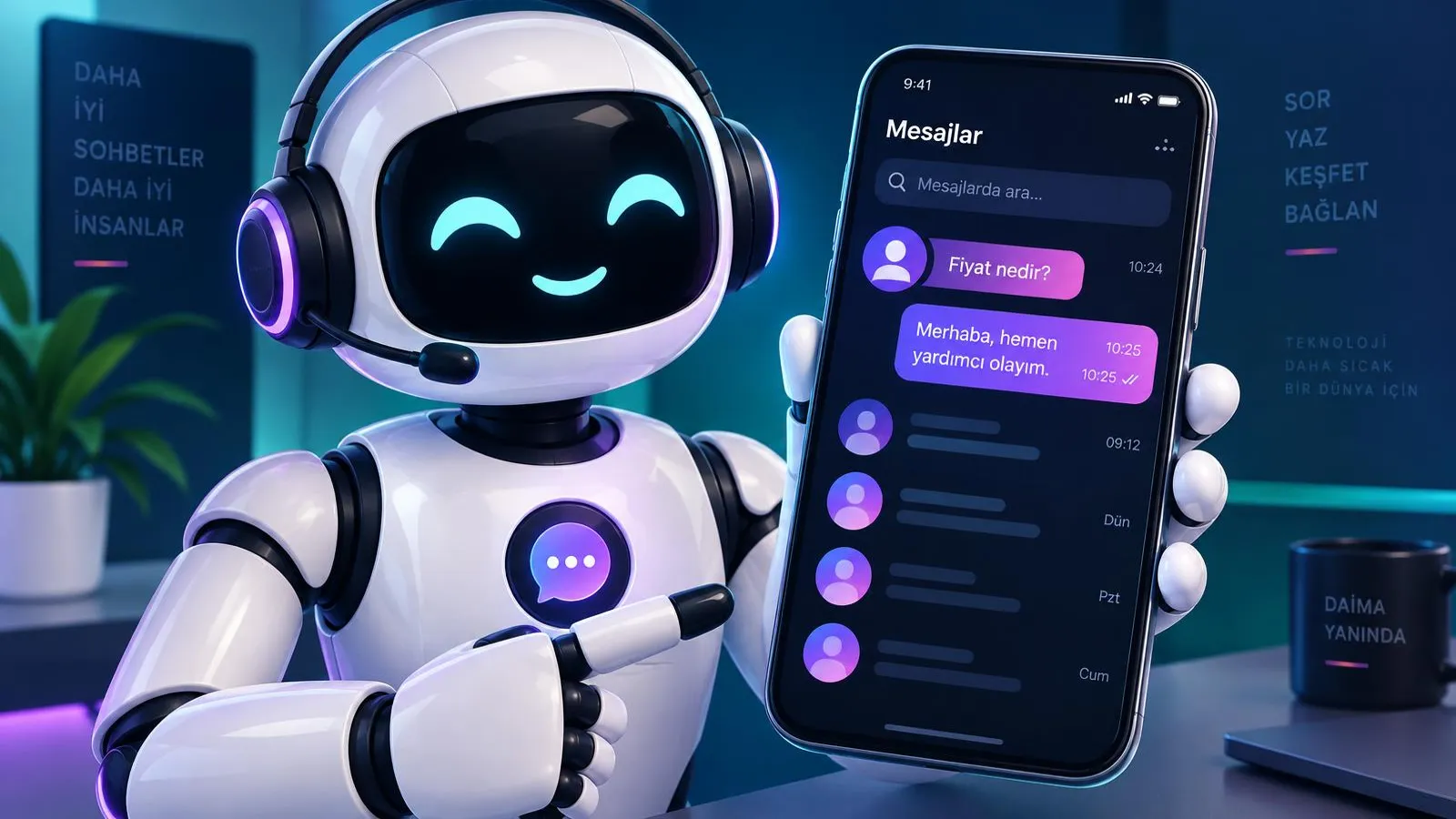
An Instagram DM AI assistant is an AI that replies day and night in natural language to direct messages sent to your business account, answers product and service questions, records requests and hands the conversation to your team with a summary when needed. For many businesses Instagram is where customers make first contact: someone watches a reel, writes "price?" under a post or asks "any appointments?" in the DMs. In 2026–2027, replying hours later means losing the customer while interest is still warm. This guide explains what an Instagram DM AI assistant is, Meta’s rules, how it compares to alternatives, the flow from comment to sale, industry scenarios, setup, measurement and risks.
What is an Instagram DM AI assistant?
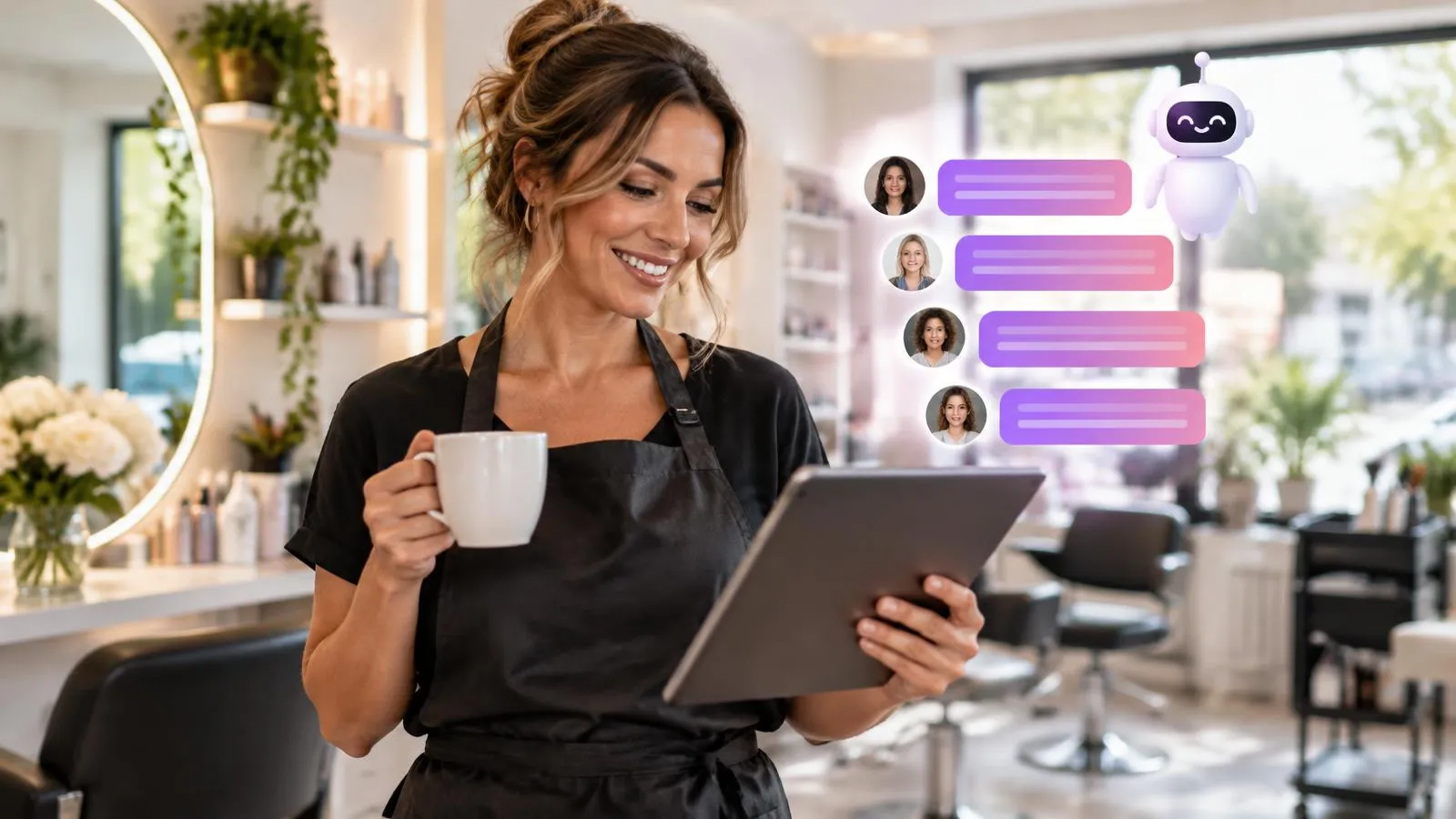
An Instagram DM AI assistant is an AI customer service agent that handles your DM inbox for you. It understands the message, checks your business information and gives the customer a clear, short reply in your brand voice. Sesla AI manages Instagram messages with the same AI as phone and WhatsApp on Türkiye’s most advanced AI call center infrastructure, so customers get the same correct information whichever channel they use.
On Instagram, demand comes through three doors. First, direct DMs: someone sees your profile and asks a question. Second, post and reel comments: short questions like "price?", "is this colour available?", "where are you?". Third, messages from ads: conversations opened by Meta ads with a "send message" objective. All of them can carry purchase intent.
- What Sesla offers: answering product and service questions in the DM inbox, giving product information and passing requests to the team.
- Messages from ads also land in the DM inbox, so they are handled in the same flow.
- What is generally possible: Meta’s infrastructure also allows automations such as replying to post comments or sending a private message to the commenter. Clarify the scope of such comment automations with Sesla during setup; this guide does not promise them as a standard Sesla feature.
- Story replies and comment moderation exist in some tools in general; since they are not listed on Sesla’s Instagram page, they are not described here as Sesla features.
Why do Instagram enquiries need fast replies?
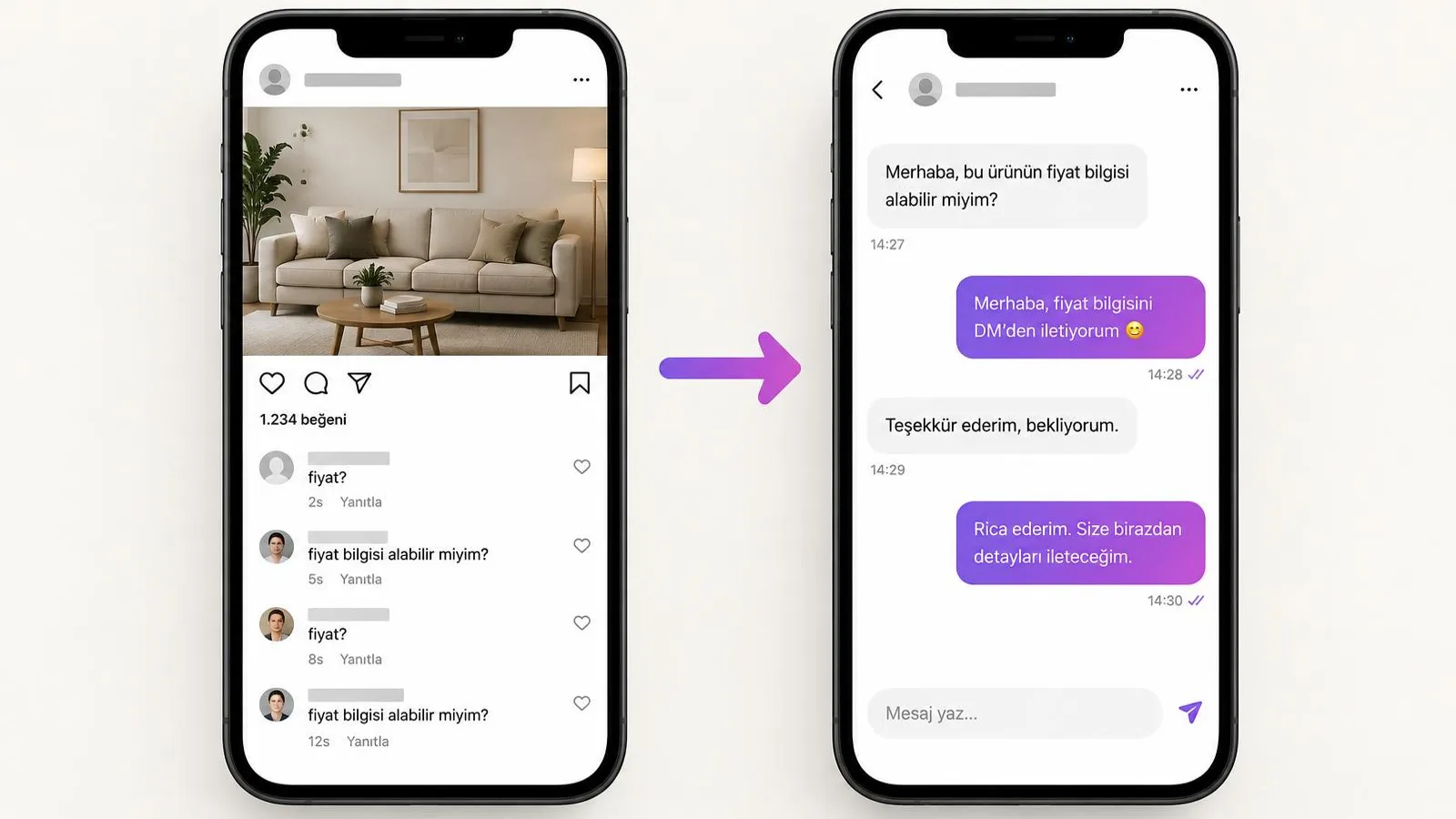
Instagram enquiries are instant: customers get curious the moment they see content and expect an answer right then. Evenings and nights are when people spend the most relaxed time on social media, but also when businesses look at messages least. By the time someone replies in the morning, the customer has often lost interest or written to another account.
- "Price?" comments: short but clear buying signals; left unanswered, others keep asking the same thing.
- Evening and weekend DMs: they arrive while the team is off and pile up.
- Messages from ads: interest paid for with ad budget; leaving them unanswered means wasted spend.
- Repeated questions: address, hours, price ranges and shipping eat up team time.
How to measure your own account
Look at your own data instead of general statistics. Export or sample the last 30 days of DMs and note for each conversation: the time the message arrived, the first response time, the topic and whether it ended in an appointment, order or visit. Then compare messages that arrived during and outside business hours. The outcome rate of after-hours, late-answered messages shows where the assistant will help you most.
Meta’s rules: how does automated messaging on Instagram work?
Automated DM replies on Instagram are possible through Meta’s official messaging API with professional (business or creator) accounts. Official automation is not supported on personal accounts. The account must be linked to a Facebook Page or Meta business account and the required permissions granted.
- Professional account: your Instagram account must be a business or creator account.
- Official API: automation must run through Meta’s messaging infrastructure and approved apps.
- Messaging window: automated replies can be sent within a set time (usually 24 hours) after the user writes; outside that window messaging rules are much more limited.
- User-initiated conversations: automation is limited to cases where the user wrote or interacted; a business cannot send first messages to random people.
- Human handover: Meta expects that moving from automation to a human team is possible and clear to the user.
- Policy compliance: misleading content, spam and unsolicited bulk messaging are prohibited.
These rules are updated from time to time; follow Meta’s developer and business policies for details. A properly set up assistant works within this framework and does not put your account at risk.
Manual replies, saved replies, rule-based tools and AI assistants
Manual replies are the most personal but slowest method; an AI assistant combines speed with a personal touch. The options in between can be enough for specific jobs.
| Criterion | Manual reply | Saved replies | Rule-based automation | AI assistant |
|---|---|---|---|---|
| Speed | Depends on team availability | As fast as the team types | Instant, only on defined triggers | Instant, on every message |
| Understanding | Human | Human picks | Keyword | Free language and context |
| 24/7 | No | No | Partly | Yes |
| Personal touch | High | Medium | Low | High, in brand voice |
| Actions | Manual | Manual | Limited | Requests, booking details, routing |
| Team handover | Not needed | Not needed | Without context | With summary |
| Scale | Low | Low–medium | Medium | High |
Rule-based Instagram chatbot tools are handy, for example, for sending a fixed message to people who comment a certain word. But when the customer asks something unexpected, the flow gets stuck. An AI assistant grasps the meaning regardless of how the question is phrased.
What does an Instagram DM AI assistant do?
An Instagram DM AI assistant answers product and service questions, collects request and appointment details, routes customers to the right channel and hands conversations to the team.
- Price and product/service questions: price ranges, colours, sizes, stock or service scope from the knowledge base.
- Appointments: taking preferred day and time, name and contact details and creating a request.
- Order details: collecting product, quantity and delivery area.
- Address and opening hours: location, parking, directions and hours.
- Channel routing: moving the customer to WhatsApp or phone when needed.
- Handover with summary: complaints, special prices or expert topics are passed on with a summary.
See Sesla’s Instagram scope on our Instagram messages solution.
From comment to DM, from DM to sale: step-by-step flow
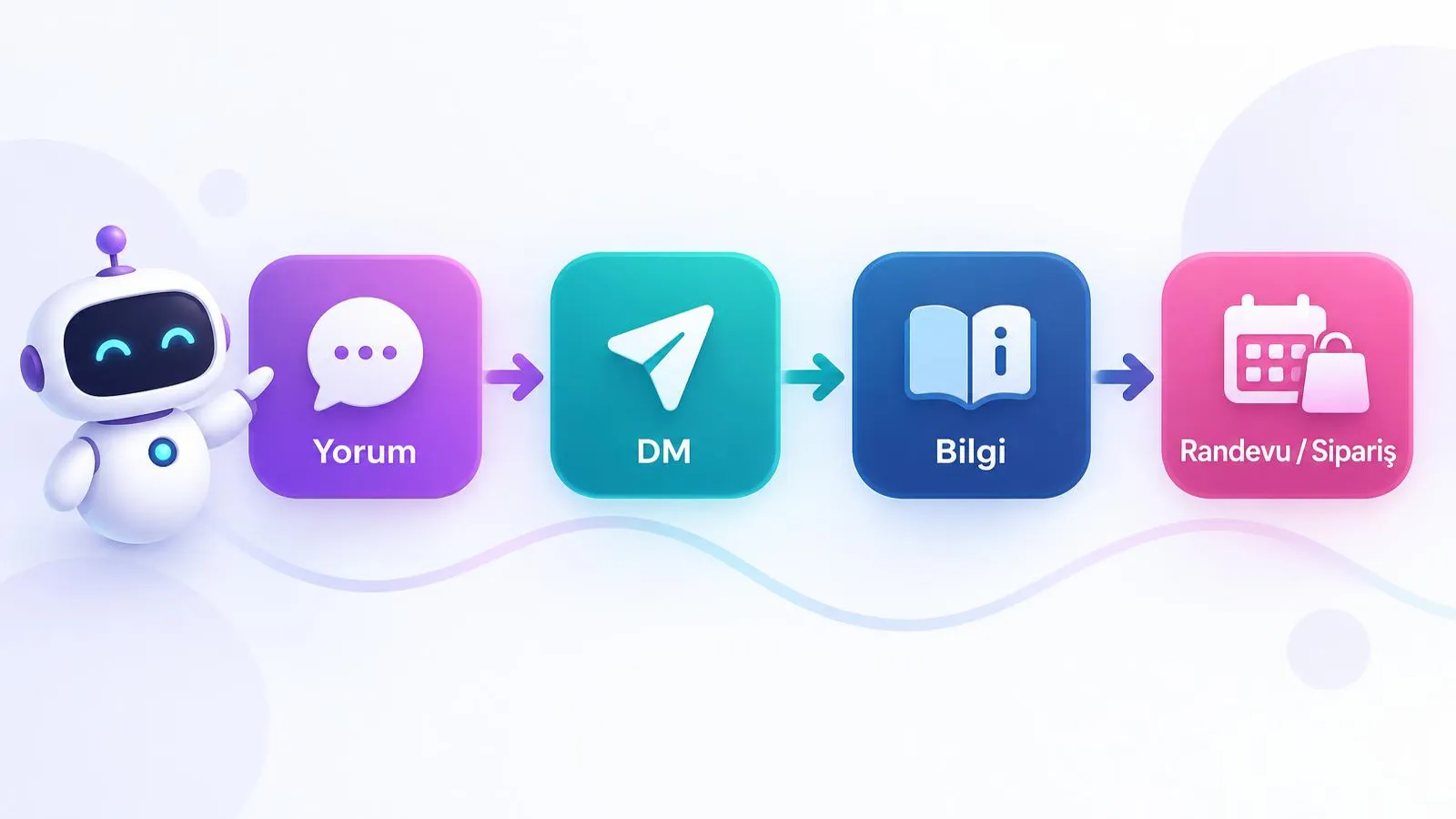
The most effective flow moves from a public question to a private conversation and then to a concrete outcome. These steps apply to both manual and AI-supported management.
- 1. Comment: a user writes "price?" under a post.
- 2. Short public reply: a polite reply like "Hi, we are sending details by DM" (automatic if comment automation is used; otherwise the team does it).
- 3. DM: the user writes to the inbox, or the business sends a private reply within Meta’s rules.
- 4. Information: the assistant explains the price range, what it depends on and availability.
- 5. Qualification: need, date, area and contact details are collected with natural questions.
- 6. Outcome: an appointment request, an order pre-registration or routing to WhatsApp/phone.
- 7. Summary: the conversation summary lands in the team dashboard, and the team takes over if needed.
Instagram DM scenarios by industry
A DM assistant works in every industry where Instagram is visual and customers see content first.
Beauty salons and aesthetics
A user watches a laser hair removal reel and asks "how much is a session?". The assistant explains that the price depends on the area and number of sessions, gives the range from the knowledge base, asks for suitable days and records the appointment request.
Dental clinics
In a DM from under a smile design post, a patient asks for a first examination. Without giving a medical assessment, the assistant explains the examination process, takes contact details and passes the appointment request to the team.
Real estate
Someone who saw a flat-for-sale reel asks about square metres and service charges. The assistant gives listing information, notes budget and area preference and arranges for the agent to call about a viewing.
Boutiques and e-commerce
A customer asks whether a dress comes in another colour. The assistant gives colour and size information, explains delivery times and collects the details needed for the order.
Restaurants
A user asks for a table for six on Saturday evening and vegan options on the menu. The assistant shares menu information, takes the reservation request and passes it to the team.
Home services and carpet/sofa cleaning
Someone who saw a before-and-after post asks for the sofa cleaning price. The assistant explains that the price depends on the number of seats and the fabric, takes the district and schedules a day for the team visit.
Realistic DM example: "How much is sofa cleaning?"
The example below shows how a carpet and sofa cleaning business’s DM assistant turns a price question into an appointment. The price range is information the business enters in its own knowledge base; it is illustrative here.
- User: "How much is sofa cleaning?"
- Assistant: "Hi, I am Clean Home’s AI assistant. Our sofa cleaning fee depends on the number of seats and the fabric; I can share our range from the business’s current list. How many seats is your set, and which district are you in?"
- User: "3+3+1, Ataşehir."
- Assistant: "Thanks. I am sending the range from our current list for this set; the exact price is confirmed once the fabric is seen on site. Any special situation like stains or pet hair?"
- User: "We have a cat, there is some hair."
- Assistant: "Noted, our team will bring suitable equipment for pet hair. For Ataşehir we are available this Thursday afternoon or Saturday morning. Which suits you?"
- User: "Saturday morning."
- Assistant: "Could you send your name, phone number and full address? I will pass your appointment request to our team."
- User: "Zeynep Arslan, 05xx xxx xx xx, Atatürk district ..."
- Assistant: "Ms Arslan, I have passed your request for Saturday morning to our team; they will contact you to confirm the time. Anything else I can help with?"
The assistant invented no exact price, used the range approved by the business, said clearly that the fabric must be seen on site and passed the request to the team with complete information.
Phone + WhatsApp + Instagram + Messenger: one knowledge base
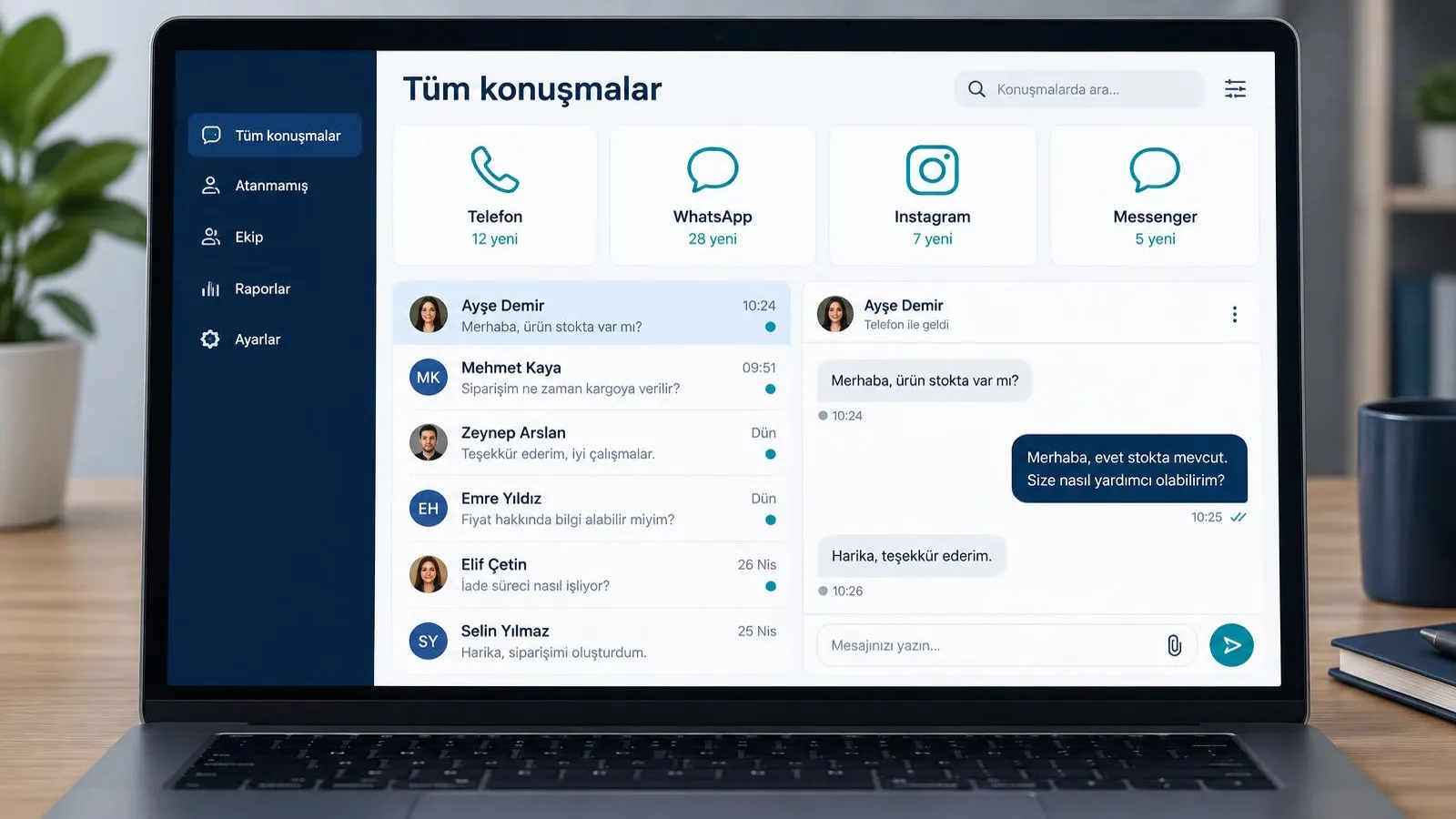
An Instagram DM assistant creates the most value when it shares one knowledge base with the other channels. A customer asks a price on Instagram, requests the location on WhatsApp and then calls; they should hear the same correct information on every channel.
- One knowledge base: when a price or opening time changes, it is updated in one place.
- Shared customer memory: the same person’s conversations across channels are merged.
- Channel switching: an Instagram customer can be routed to WhatsApp or phone when needed.
- One dashboard: the team sees all conversations and summaries in one place.
At Sesla, Facebook Messenger, WhatsApp AI, Instagram and phone are managed by the same AI. We cover WhatsApp in our WhatsApp AI assistant guide and phone in our voice AI assistant guide.
Setup: an Instagram DM AI assistant in 7 steps
Setting up an Instagram DM AI assistant is quick if the account link and knowledge base are ready.
- 1. Professional account and Facebook Page: switch your Instagram account to a business account and link it to a Facebook Page or Meta business account.
- 2. Permissions: grant message access so the app can read and reply in the DM inbox.
- 3. Knowledge base: gather products, services, price ranges, shipping, address, hours and FAQs in one document.
- 4. Tone and brand voice: define emoji use, form of address, reply length and banned phrases.
- 5. Handover rules: decide when and to whom to hand over and set business hours.
- 6. Testing: try price, booking, complaint and foreign-language scenarios with different people in the team.
- 7. Monitoring: read conversation summaries daily in the first weeks and add missing information.
See the setup scope on our Instagram messages page and try how the assistant replies right away in the live demo.
Measurement: which metrics should you track?
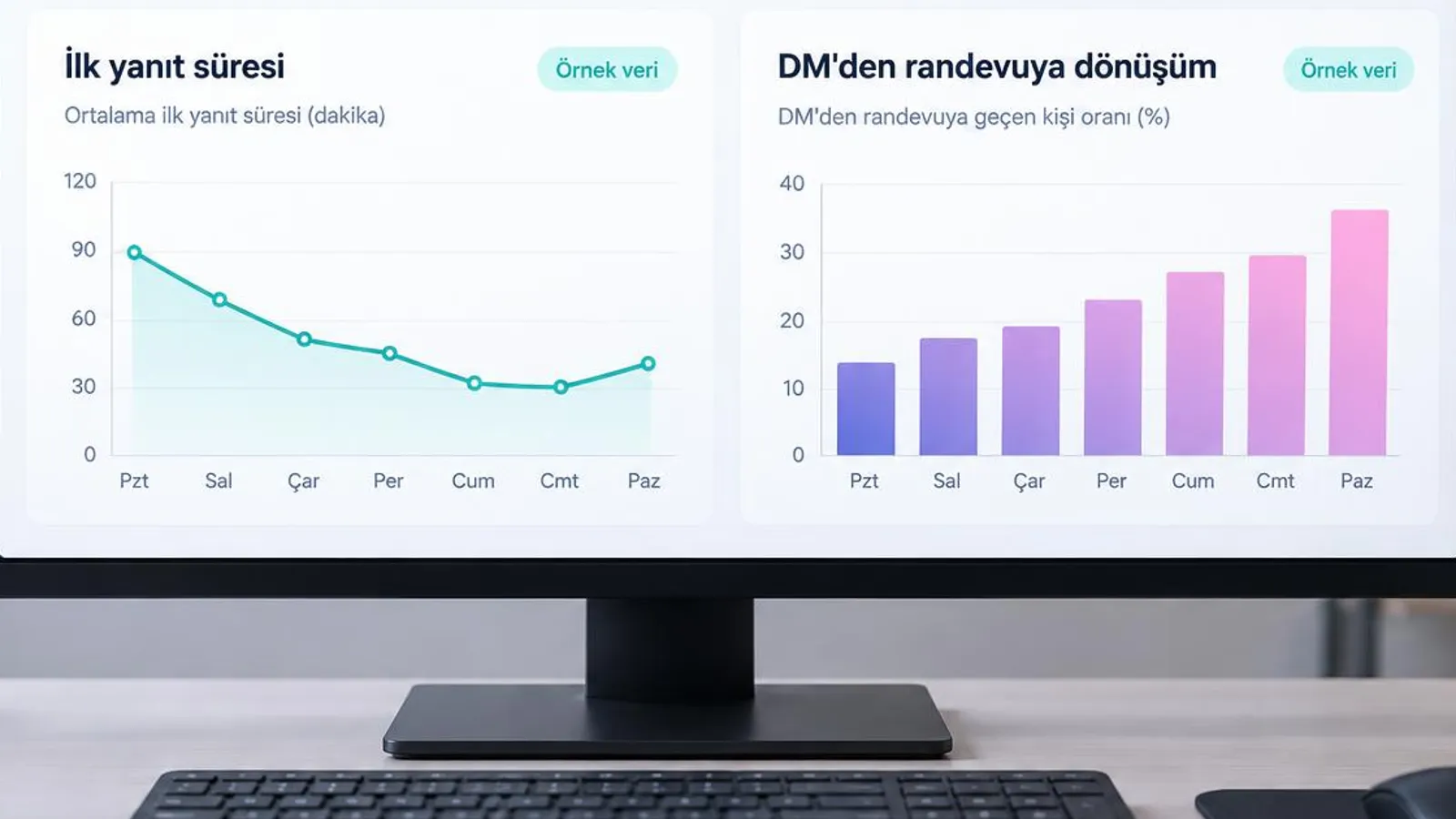
Measure an Instagram DM assistant’s success by first response time, DM-to-outcome conversion and the share of conversations handed over.
| Metric | How it is calculated | What it shows |
|---|---|---|
| First response time | Time between message arrival and first reply | The customer’s waiting experience |
| DM-to-appointment/order conversion | Conversations with an outcome ÷ all conversations | The DM inbox’s sales contribution |
| Handover rate | Handed over ÷ all conversations | How complete the knowledge base is |
| After-hours share | After-hours ÷ all conversations | When the assistant works most |
| Recurring topics | Top 10 topics | Content and FAQ needs |
Compare these metrics for the 30 days before and the 30 days after the assistant goes live. The dashboard in the image uses sample data; your own numbers will vary with your business.
Risks and things to watch out for
The main risks in Instagram DM automation are looking spammy, wrong prices, privacy breaches, lack of transparency and tools that break policy.
- Looking spammy: copy-pasting the same message to everyone and unsolicited messages can reduce your account’s reach.
- Wrong prices: keep the knowledge base current; the assistant should give the approved range and what it depends on rather than an exact price.
- Data protection: prepare a privacy notice for names, phones and addresses collected in DMs (KVKK in Turkey, GDPR in the EU) and do not ask for unnecessary data.
- Transparency: tell customers clearly that they are chatting with an AI assistant.
- Tools that break policy: auto-follow, auto-like or third-party tools that ask for your password break Meta’s policies and can get the account restricted; stay away from them.
- Not handing over: keeping a complaining customer in automation damages trust.
The most practical way to reduce risk is to write a reply policy before the assistant goes live. It states clearly which topics the assistant answers on its own, which it only collects information on and passes to the team, and which it never comments on. For a beauty salon, for example, price ranges, session length and opening hours are topics the assistant answers; skin conditions, medication or allergy questions go to an expert. Variable information such as offers or discounts should carry a validity date in the knowledge base and be removed as soon as it expires. Reading ten randomly chosen conversations once a week and reviewing accuracy, tone and handover decisions helps you catch problems before they grow. Finally, having the assistant introduce itself as an AI assistant at the start of every conversation and offering the option to talk to a person at any time is a start that fits both Meta’s policies and customer trust. These simple rules let automation contribute to sales while protecting your brand reputation.
Why Sesla AI?
Sesla AI is an AI customer communication platform for businesses, built on Türkiye’s most advanced AI call center infrastructure. It configures advanced voice and language models used at global scale for real business conversations.
- Answering product and service questions in Instagram DMs and passing requests to the team.
- Phone, WhatsApp, Instagram, Messenger and website chat work from one knowledge base.
- Multilingual replies, including Turkish, English and German.
- A summary for every conversation; handover to the team with a summary when needed.
- A live demo before you buy.
- Transparent plans on the {{pricing|fiyatlar}} page.
How to position AI across your whole customer service is explained in our AI customer service agent guide.
We walk through the flow that moves price comments under posts into DMs and sales in our Instagram comment auto-reply guide.
Conclusion
An Instagram DM AI assistant catches interest born on social media while it is still warm. Set up on Meta’s official infrastructure, with a current knowledge base, transparently and with human handover, it turns "price?" questions into appointments and orders and frees your team from routine replies.
To start, review the last 30 days of DMs, list the 20 most common questions and see in the live demo how the assistant replies.
Frequently asked questions
Are automated DM replies banned on Instagram?
No. Policy-compliant automated replies are possible through Meta’s official messaging infrastructure and professional accounts. Spam, misleading content and unsolicited bulk messages are prohibited.
Can comments be answered automatically?
In general, Meta’s infrastructure allows automations such as replying to comments and sending a private message to the commenter. Sesla’s standard Instagram scope is DM replies; clarify any comment automation needs during setup.
Does it work on a personal account?
No. Official automation only works on Instagram professional (business or creator) accounts linked to a Facebook Page or Meta business account.
Does it reply to messages from ads?
Yes. Conversations opened from message-objective ads land in the DM inbox and are answered by the same assistant.
Does it write in Turkish and other languages?
Yes. It can reply in the language the customer writes in, including Turkish, which is useful for medical tourism or businesses with international customers.
Will my account be shut down?
The risk is low with official infrastructure and policy compliance. Account restrictions are mostly caused by auto-follow/like tools, third-party apps asking for passwords and spam.
When does a person take over?
According to your rules: complaints, special price requests, expert topics or when the customer asks for a person — the conversation is handed to the team with a summary.
How is the price determined?
Sesla plans are listed transparently on the pricing page; the plan is chosen by your channels and usage volume.
What is the difference between an Instagram chatbot and an AI assistant?
A rule-based chatbot gives fixed replies to certain words. An AI assistant understands free text, remembers context, collects information and hands over to a person with a summary when needed.
Describe your needs in 3 minutes and we prepare your assistant draft and quote.