
When should the assistant hand over? Rules for smooth transfers
A good assistant does not try to solve everything; it knows when to pass to a person.
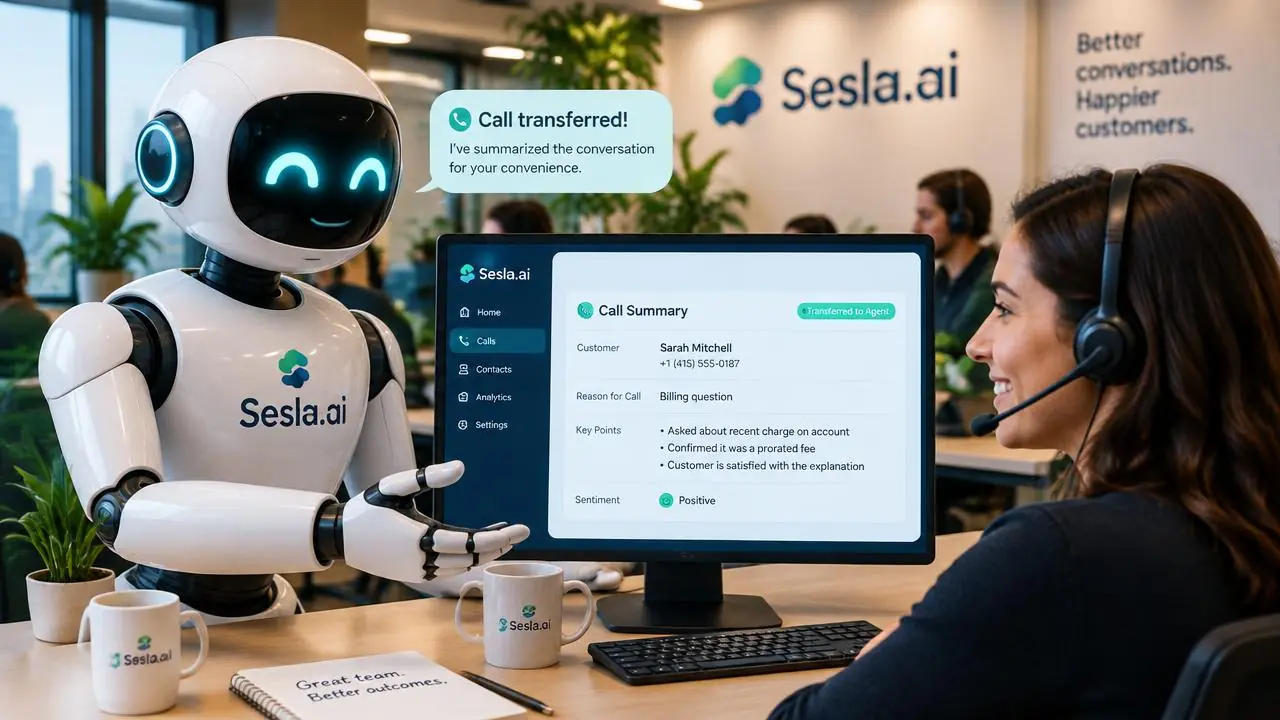
The quality of an AI assistant is measured not only by how many questions it answers, but also by knowing when to stop. An assistant that tries to solve everything itself can mishandle a sensitive complaint, delay an emergency, or leave the customer in a loop. A properly configured assistant, however, knows its limits and, when necessary, hands over the conversation with all its information to the right person. In this guide, we explain in detail the handover triggers, how a good handover should be done, what happens outside working hours, example rules by sector, and how these rules are configured in Sesla.
Why are handover rules so important?
One of the biggest frustrations in customer experience is getting stuck in an automated system where they cannot explain their problem. "Please repeat," "I didn't understand you," and endless menus quickly erode customer trust in the business. Therefore, handover rules are the most critical part of AI setup.
On the other hand, too many handovers are also a problem. If the AI assistant calls the team for every question, both the purpose of automation is lost and the team is unnecessarily busy. The right balance is for the AI assistant to handle routine, knowledge-based, and rule-defined requests, while the team handles requests requiring authority, empathy, or expertise.
Fundamental handover triggers
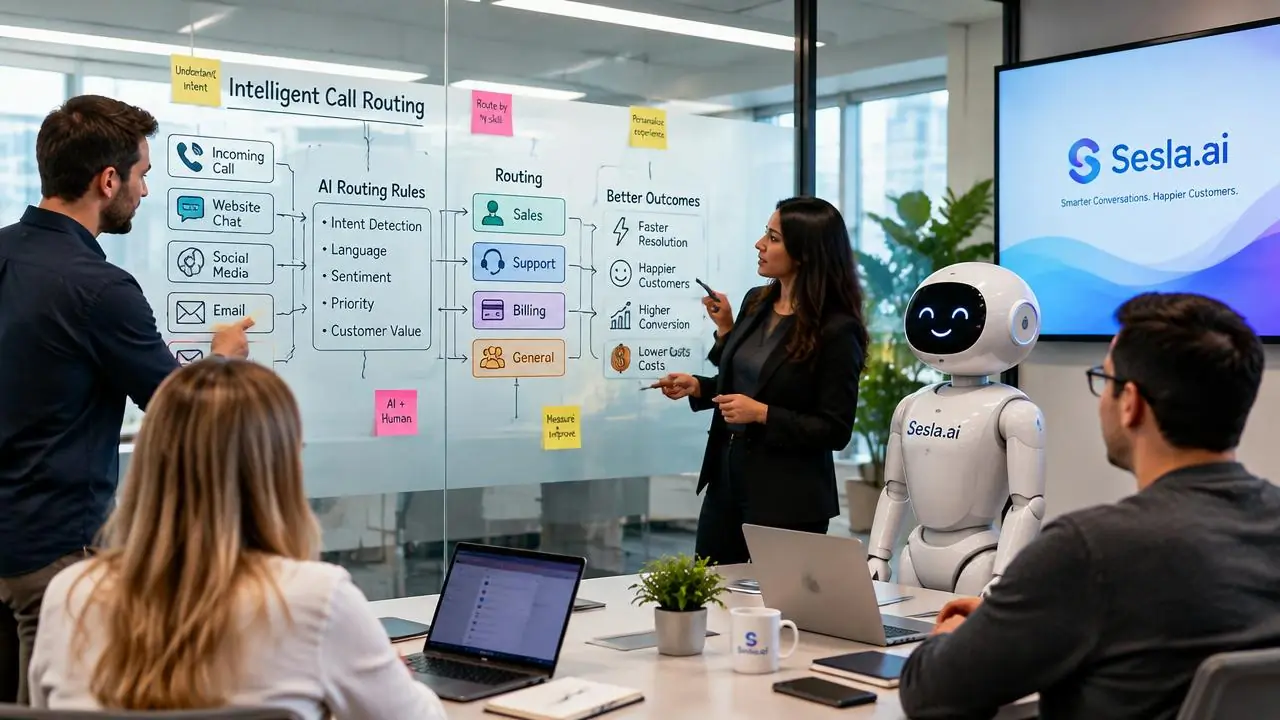
Although every business has different rules, handover triggers generally fall into five main groups. Clearly defining these groups during setup makes the AI assistant's behavior predictable in different situations.
| Trigger | Example | Recommended behavior |
|---|---|---|
| Explicit request | "I want to speak to a representative." | Get brief info, hand over immediately |
| Complaint | Faulty product, bad service experience | Listen, summarize, hand over with priority |
| Emergency | Health complaint, safety, breakdown | Hand over instantly according to rule or provide urgent info |
| No information | Question not in knowledge base | Don't guess, make a note, hand over |
| Decision requiring authority | Refund, discount, special price | Get justification, hand over to authorized person |
In addition to this table, situations where the AI assistant fails to understand the customer twice in a row should also be defined as automatic handover triggers. This way, the customer never gets stuck in an "I don't understand" loop.
How should a good handover be done?
The quality of a handover is measured by whether the customer has to explain the same thing a second time. In a bad handover, the agent answers the phone and asks, "How can I help you?" The customer has to explain from scratch. In a good handover, the agent takes over the conversation knowing the customer's name, topic, and what has been discussed so far.
- Tell the customer what will happen: "I'm now transferring you to our relevant colleague."
- Provide the summary to the team: name, topic, urgency, information given so far.
- Hand over to the right person: department or person based on the topic.
- If the team is unavailable, don't leave them on hold: promise a callback and give a time.
- Record the outcome: report the reason and result of the handover.

Sesla difference: summarized and rule-based handover
In Sesla, handover is not a fixed menu option, but a decision managed by rules. The AI assistant understands the content of the conversation to identify the trigger, hands over to the person or number you specify, and simultaneously sends a written summary of the conversation via WhatsApp, email, or the panel. Our AI assistant solution configures these rules according to your business structure.
| Criterion | Touch-tone menu (IVR) | Simple bot | Sesla |
|---|---|---|---|
| Trigger detection | Customer presses keys | Keyword | Meaning of conversation |
| Summary handover | None | Limited | Full summary |
| Emergency rule | Menu option | Weak | Rule-based, prioritized |
| Outside working hours | Recording | Limited | Note + return time |
| Failure to understand | Repeat menu | Risk of loop | Handover after two attempts |
Another difference of Sesla is the reporting of handover reasons. Seeing which topics are most frequently handed over helps you identify gaps in your knowledge base. Within a few weeks, you will see that a significant portion of previously handed-over questions are answered by the AI assistant on its own.
What happens outside working hours?
For a complaint or special request arriving at 02:00 AM, there might be no one available to hand over to. In this situation, the AI assistant's task is to listen to the customer, gather information completely, and honestly tell them when they will receive a response. A clear promise like "Our team will call you back by 10:00 AM tomorrow morning" builds much more trust than a vague "as soon as possible."
For truly urgent situations, an on-call number can be defined for availability outside working hours. For example, for a technical service, a water leak; for a hotel, guest safety; or for a clinic, severe pain situations can be handed over to the on-call person. These rules are determined according to the business's own processes.

Example handover rules by sector
- Clinics: severe pain, bleeding, swelling, or medication questions to the doctor or on-call team.
- Law firms: detention, arrest, or expiring matters to the lawyer.
- E-commerce: refund approval, damaged product, and payment issues to the customer service team.
- Hotels: guest safety, room issues, and group reservations to reception or the sales team.
- Technical service: water leak, gas smell, and electrical fault to the on-call technician.
- Real estate: negotiation, offers, and contract matters to the relevant consultant.

Setting up transfer rules step-by-step
- 1. Review last month's calls: which requests definitely required a human?
- 2. Categorize triggers into five main groups and write the behavior for each.
- 3. Determine transfer targets: person, department, number, business hours.
- 4. Define after-hours and on-call rules.
- 5. Test each trigger with test calls; review the transfer report for the first week.
The most common mistake during setup is when the transfer target creates a loop. For example, if the number the AI assistant transfers to also has call forwarding enabled, the call might return to the AI assistant. For this reason, forwarding settings for transfer numbers are checked together during setup.

Pricing
The time the AI assistant speaks during transferred calls is deducted from your package minutes. The table below shows the current Sesla packages.
| Plan | Monthly | Annual (per month) | Included minutes | Extra minute | Setup on annual |
|---|---|---|---|---|---|
| Starter Plan | $59.99 | $44.99 | 120 min | $0.25 | Paid |
| Professional Plan | $129.99 | $97.49 | 300 min | $0.23 | Paid |
| Enterprise Plan | $259.99 | $194.99 | 600 min | $0.22 | Free |
| Premium Plan | $519.99 | $389.99 | 1,200 min | $0.15 | Free |
You can use the calculator on the pricing page to compare package and staff costs based on your call volume.
Measuring transfer performance
There are three key metrics to monitor: transfer rate (what percentage of calls were transferred), distribution of transfer reasons, and resolution time for transferred calls. A decrease in transfer rate over time indicates that the knowledge base is maturing. A large proportion of the "no information" group in transfer reasons indicates topics that need to be added to the knowledge base.
To see the AI assistant's speaking style and how it communicates with customers before a transfer, you can try the live demo on the homepage.
Preparing the team for transfers
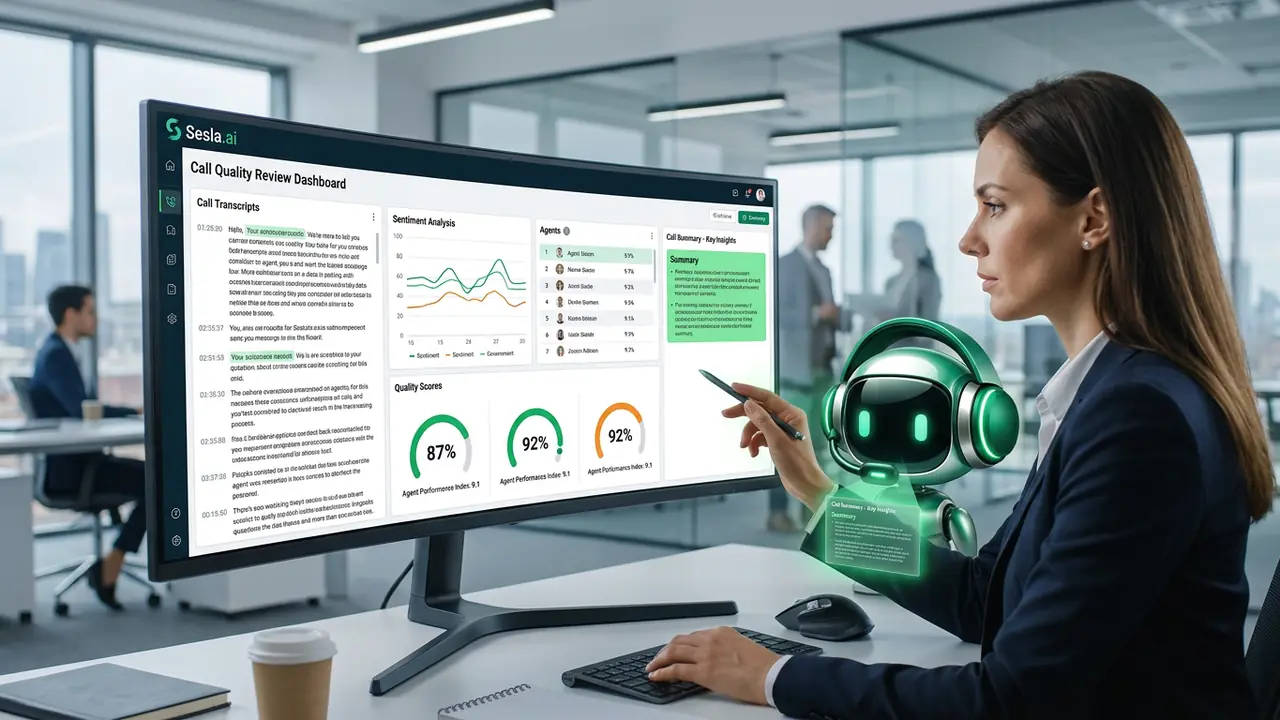
The success of transfer rules depends not only on the AI assistant but also on the team taking over the transferred call. The team needs to know where the summary will come from in transferred calls, how to read it, and how to start the conversation with the customer. A short internal training and practice with example summaries prevent confusion in the first few weeks.
The team's first sentence in transferred calls is important. An opening like "Hello Ayşe, I see you're calling about the damage to your order" makes the customer feel heard and that they don't have to repeat themselves. This small difference significantly increases the likelihood of transferred calls resulting in satisfaction.
The team also contributes to the AI assistant's development. Team members who note why the AI assistant transferred a call and what information was missing enable the knowledge base to mature rapidly. This feedback loop leads to a significant decrease in transfer rates within a few months.

An example transfer rule set
To make the rules concrete, let's consider an e-commerce business example. Order status, shipment tracking, return conditions, and product information questions are answered by the AI assistant. Damaged product notifications, return approval requests, and payment issues are transferred to the customer service team. Corporate sales and bulk order requests go to the sales team. A customer explicitly requesting an agent is a priority transfer reason in all cases.
| Topic | AI assistant | Transfer target | After-hours behavior |
|---|---|---|---|
| Order and shipping status | Answers | — | Answers |
| Return conditions | Explains | — | Explains |
| Damaged product | Requests information and photos | Customer service | Log + morning callback |
| Payment issue | Gathers information | Finance team | Log + morning callback |
| Bulk order | Gathers information | Sales team | Log + morning callback |
| Request for an agent | Gathers brief information | Shift supervisor | Promises callback |
This table is different for every business; the important thing is that the rules are written and known by the team. When rules change, the AI assistant's knowledge base is also updated; thus, the customer is always directed according to the current rules.
Maturing transfer rules in the first 30 days
In the first week, the transfer threshold is intentionally kept low; the AI assistant transfers whenever it is unsure. This approach protects the customer experience and allows the team to see which topics genuinely require a transfer. In the second and third weeks, transfer reasons are examined, and topics that can be added to the knowledge base are identified. In the fourth week, the transfer threshold is readjusted, and the number of issues the AI assistant resolves independently is increased.
This phased approach ensures that automation grows rapidly but reliably. The customer is never stuck at any stage, and the team sees their workload decrease week by week.
The measurable impact of accurate transfers
Well-designed transfer rules create a measurable impact in three areas. First, the resolution time for transferred calls shortens because the agent does not have to listen to the customer from the beginning. Second, customer satisfaction increases because the customer is greeted quickly and reaches the right person when needed. Third, team efficiency increases because routine calls remain with the AI assistant, and the team dedicates time only to high-value conversations. The combination of these three effects reduces customer service costs while enhancing quality.
To make these effects visible, we recommend comparing the resolution time of transferred calls, post-transfer customer satisfaction, and daily calls per agent before the transition. The transfer reports in the Sesla panel allow you to make this comparison without extra effort.
Common mistakes in transfer design
The first mistake is viewing transfers as a failure. Some businesses aim for the AI assistant to never transfer; however, this approach harms the customer experience. A transfer is a healthy behavior that shows the AI assistant knows its limits. The important thing is that the transfer is made for the right reasons, to the right person, and with a summary.
The second mistake is tying transfer targets to a single person. If that person is on leave, in a meeting, or on another call, the transfer fails, and the customer is left waiting. Setting multiple transfer targets or a backup rule for each topic eliminates this risk.
The third mistake is not informing the customer during the transfer. The customer becomes anxious when they don't know why or to whom the call is being transferred. A brief explanation and estimated wait time ensure the customer waits patiently.
The fourth mistake is not reviewing transfer reports. When transfer reasons are not regularly analyzed, gaps in the knowledge base become permanent, and the AI assistant continues to transfer on the same topics. A short weekly review is enough to break this cycle.
Starting list for transfer rules
- Five main trigger groups and behavior for each.
- Topic-based transfer targets and backups.
- Business hours and after-hours behavior.
- On-call number and emergency definitions.
- The phrase to tell the customer during a transfer.
- Content of the summary and the channel it will be sent through.
- Transfer threshold in case of misunderstanding.
- Responsible person for weekly transfer report review.
A day with transfer rules
09:10 AM. An e-commerce customer asks about their order status. The AI assistant directs them to the order status lookup step and explains the estimated delivery time; no transfer is needed. At 11:30 AM, another customer calls about a product damaged in shipping. The AI assistant notes the order and damage, explains how to send photos, and transfers the call with its summary to the customer service team. When the agent answers the phone, they know the customer's name, order number, and the issue.
04:00 PM. A company executive calls for a bulk order. The AI assistant takes the company name, products, and approximate quantity and transfers to the sales team. Since the sales agent is currently on another call, the AI assistant tells the executive they will receive a callback within an hour and marks the request as priority.
10:00 PM. A customer states their payment was charged twice. Since the finance team is off-hours, the AI assistant gathers all information, tells the customer they will receive a callback by 10:00 AM the next morning, and adds the request to the finance team's morning list. The customer is calmed by receiving a clear time rather than a vague "as soon as possible."
Ask your team before setup
- Which requests definitely require a human to resolve today?
- To whom and during what hours should these requests be transferred?
- Who should be reachable after hours?
- What information should the summary include for transfers?
- What should be said to the customer during a transfer?
The impact of transfers on customer psychology
When a customer calls with a problem, what they want most is to be understood. The AI assistant listening to the customer, summarizing their problem in their own words, and then saying, "I am transferring you to the person best suited to help with this issue" makes the customer feel taken seriously. This feeling significantly increases the likelihood of a positive outcome for the transferred call.
How waiting is managed during a transfer is also important. Indefinite hold music stresses the customer; a brief explanation and estimated time encourage patience. If an agent is unavailable, providing a clear callback time rather than making the customer wait indefinitely is a more satisfying experience for most customers.
Finally, the first sentence of the agent who takes over a transferred call sets the tone for the entire experience. An agent who addresses the customer by name after reading the summary and shows they know the problem immediately earns the customer's trust. This seamless transition between the AI assistant and the agent represents the professionalism and order of the business in the customer's eyes.
Therefore, transfer rules should not only be treated as a technical setting but as part of customer experience design. In Sesla setup, transfer phrases, waiting behavior, and summary content are designed together with this perspective.
Things to keep in mind
- A transfer is not a failure but a healthy behavior that shows the AI assistant knows its limits.
- Five key triggers: explicit request, complaint, emergency, lack of information, and decision requiring authority.
- Transfers should always be done with a summary; the customer should not have to repeat the same thing twice.
- Giving a clear callback time after hours builds trust.
- A backup transfer target should be defined for each topic.
- Transfer reasons should be reviewed weekly to improve the knowledge base.
A transfer structure built on these principles establishes the balance between automation and human touch in customer service. The customer is always greeted quickly, reaches the right person when needed, and is never stuck.
Finally, we want to remind you that transfer rules are not a document to be written once and forgotten. As your business grows, new services are added, and your team changes, the rules should also be updated. A brief review every three months ensures that transfer targets are current, new topics are directed to the right people, and the AI assistant evolves with your business. The transfer reports in the Sesla panel turn this review into a task of a few minutes.
Businesses writing transfer rules for the first time often find the process itself beneficial. Documenting which request goes to whom eliminates internal uncertainties, speeds up onboarding for new employees, and allows the customer service process to be managed more transparently. The AI assistant applies these rules with the same consistency in every conversation.
Conclusion
A good AI assistant does not try to replace the human team but to save its time. Clear transfer rules ensure that the customer is never stuck, emergencies are not delayed, and the team focuses only on conversations where they are truly needed. Sesla establishes this balance with a summarized, rule-based, and measurable transfer structure.
Frequently asked questions
When should the AI assistant hand over to the team?
It should hand over when the customer explicitly asks for a person, in case of a complaint or emergency, when the knowledge base doesn't have an answer, and for decisions requiring authority.
Does the customer have to explain everything from scratch during the handover?
No. Sesla provides the team with a summary of the conversation along with the handover.
What happens if the team is unavailable?
The assistant provides the customer with a clear return time and leaves the request with the team as prioritized.
How are emergencies managed outside working hours?
An on-call number can be defined; designated emergencies are transferred to this number.
What if the AI assistant doesn't understand the customer?
If it fails to understand after two attempts, it can be set up to automatically hand over the call to the team.
To which number is the handover made?
To the person, department, or extension number you define during setup; different targets can be set based on the subject and time.
Can I see the reasons for handover?
Yes. The panel reports which calls were handed over and why.
What should I do if there are too many handovers?
Review the handover reasons and add missing answers to the knowledge base; the handover rate will decrease over time.
What is the difference from a touch-tone menu?
The customer does not press keys; the AI assistant detects the need for a handover from the meaning of the conversation.
Are minutes used in a handed-over call?
The time the AI assistant speaks is used from your bundled minutes.
Is handover also done on WhatsApp?
Yes. WhatsApp conversations can also be handed over to the team with a summary.
Describe your needs in 3 minutes and we prepare your assistant draft and quote.