
How to reduce appointment no-shows
Every empty slot is revenue that does not come back. Reminders and easy rescheduling are the two most effective tools.
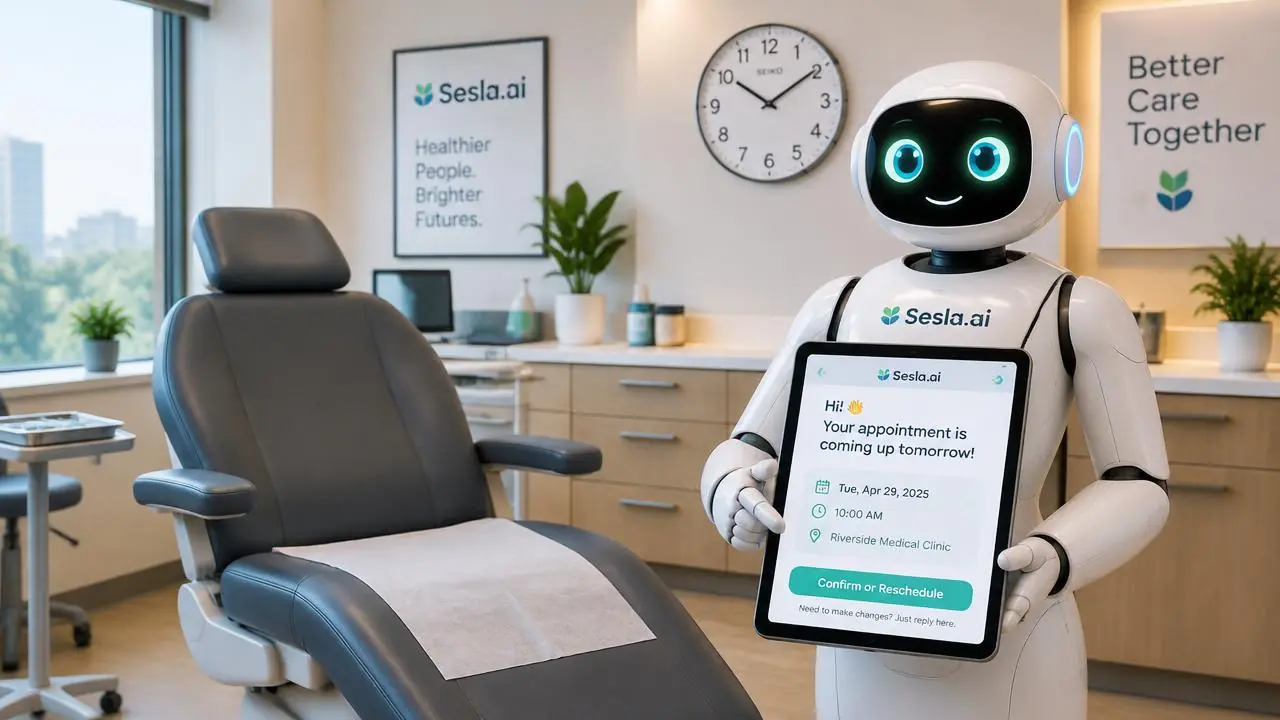
Every business that works with appointments experiences the same silent loss: customers who book an appointment but don't show up without notice. For clinics, beauty centers, hairdressers, consultants, service workshops, and restaurants, every empty slot is lost revenue that won't come back. Moreover, that slot was wasted when it could have been given to another customer. In this guide, we explain in detail how to calculate the no-show rate, why customers don't show up, how to reduce this rate with automated reminders and easy rescheduling, and the steps for implementation with Sesla.
How is the no-show rate calculated?
The calculation is simple: divide the number of appointments that were no-shows in a specific period by the total number of appointments. For example, if you have 400 appointments a month and 48 of them are no-shows, your no-show rate is 12 percent. Multiply this rate by your average appointment value to see your monthly loss.
It is important to track last-minute cancellations and no-shows separately. Even a last-minute cancellation gives you a chance to fill the slot; a no-show completely eliminates this chance. The main goal of the reminder system is to convert a silent no-show into an informed cancellation or rescheduling.
| Business | Monthly appointments | No-show rate | Empty appointments | Average value | Monthly loss |
|---|---|---|---|---|---|
| Dental clinic | 500 | 12% | 60 | $250 | $15,000 |
| Beauty center | 600 | 15% | 90 | $120 | $10,800 |
| Physiotherapy | 350 | 10% | 35 | $150 | $5,250 |
| Auto service | 250 | 8% | 20 | $300 | $6,000 |
| Consulting | 120 | 10% | 12 | $400 | $4,800 |
Why do customers miss appointments?
A very small portion of no-show customers have malicious intent. The vast majority forget, their plans change, or they find canceling bothersome. Especially if an appointment was made several weeks in advance, the likelihood of forgetting without a reminder significantly increases. Another reason is "being ashamed to call": customers don't want to call to cancel, preferring to simply not show up silently.
- Forgetting: the most common reason, especially for long-term appointments.
- Change of plans: work, family, or transportation issues.
- Difficulty of cancellation: phone not answered, outside business hours.
- Anxiety: last-minute hesitation, especially in health and dental treatments.
- Uncertainty: not clearly remembering the time or address.

Effective reminder strategy
The effectiveness of a reminder depends on timing and channel. A reminder sent too early is forgotten, while one sent too late doesn't give the customer a chance to make plans. In practice, the most effective structure is a reminder one day before the appointment and a brief confirmation a few hours before on the appointment day.
| Channel | Read/Reach rate | Interaction | Ease of rescheduling | Most suitable use |
|---|---|---|---|---|
| SMS | High | One-way | Low | Brief information |
| Medium | Low | Medium | Detailed information | |
| Very High | Two-way | High | Confirmation and rescheduling | |
| Voice call (AI phone assistant) | High | Conversational | Very High | High-value appointments |
| Manual staff call | High | By speaking | High | High staff workload |
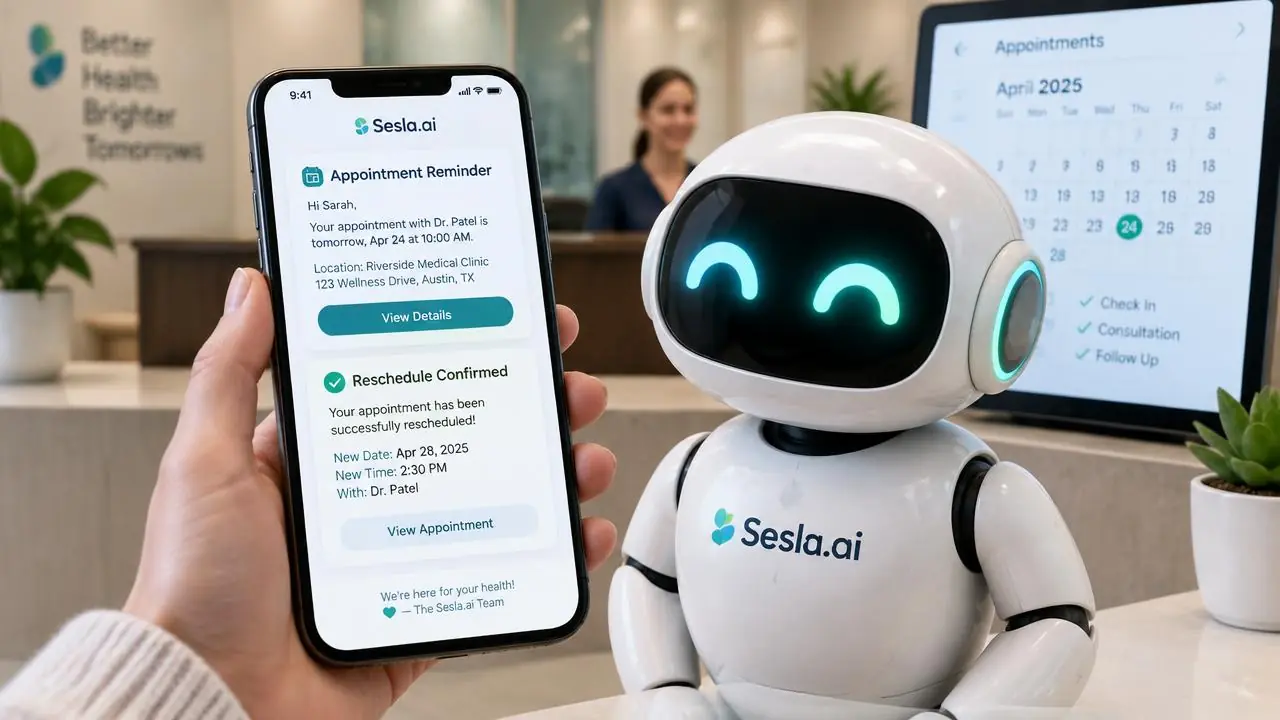
Sesla's difference is two-way reminders. The customer isn't just informed; they can say "I'm coming", "I can't make it", or "Can we reschedule?". The AI assistant confirms, cancels, or immediately reschedules the appointment by offering available times from your calendar based on this response. Our appointment automation solution sets up this flow seamlessly with your calendar.
Why does making rescheduling easy work?
Many businesses believe that by making cancellations difficult, they can force customers to attend. In reality, the opposite happens: when cancellation is difficult, the customer simply no-shows without notice. When cancellation and rescheduling are easy, the customer informs you, the freed-up slot becomes available for another customer, and the same customer returns another day.
With Sesla, a customer can reschedule their appointment even at 11:00 PM. The AI assistant suggests a new time, the customer approves, and the calendar is updated. The next morning, the team sees the changes made overnight, ready to go. This flexibility enhances customer satisfaction while protecting the business's calendar.
Filling empty slots: the waiting list
The second benefit of reminders is anticipating empty slots. When a customer cancels an appointment, the AI assistant can offer that time to customers on the waiting list or those requesting an earlier appointment. This way, a cancelled appointment is no longer a lost opportunity but transforms into a chance to serve another customer.

The Sesla difference
Classic SMS reminder systems are one-way, and customers cannot respond. Manual reminder calls, however, take up a significant portion of the receptionist's day. Sesla provides reminders by speaking with the customer or chatting via WhatsApp, confirming, cancelling, and rescheduling all in the same conversation. Since the same AI assistant also handles incoming new appointment calls throughout the day, the calendar is always managed from a single point.
- Two-way reminders via voice call or WhatsApp.
- Confirmation, cancellation, and new time suggestions in the same conversation.
- Automatic offering of empty slots to the waiting list.
- Reporting of reminder results in the dashboard.
- New appointment calls also handled by the same AI assistant.
Setup step-by-step
- 1. Calculate your no-show rate for the last three months.
- 2. Determine the reminder timing and channel.
- 3. Define rescheduling rules: how many hours in advance, and during which time intervals?
- 4. Set up the waiting list and early appointment request flow.
- 5. Integrate customer permissions and GDPR/KVKK disclosure text into the flow.
The language of reminder messages is also important. A short, polite, and clear message containing the appointment date, time, address, and preparation information if necessary yields the best results. Avoiding accusatory or pushy language preserves the customer relationship.

Pricing
Reminder calls and messages are also consumed from your package minutes or message channel. The table below shows the current Sesla packages.
| Plan | Monthly | Annual (per month) | Included minutes | Extra minute | Setup on annual |
|---|---|---|---|---|---|
| Starter Plan | $59.99 | $44.99 | 120 min | $0.25 | Paid |
| Professional Plan | $129.99 | $97.49 | 300 min | $0.23 | Paid |
| Enterprise Plan | $259.99 | $194.99 | 600 min | $0.22 | Free |
| Premium Plan | $519.99 | $389.99 | 1,200 min | $0.15 | Free |
Even a few percentage points reduction in the no-show rate results in earnings that exceed the package cost for most businesses. To calculate with your own figures, you can use the calculator on the pricing page.
Measuring results
After implementing the reminder system, monitor the no-show rate, last-minute cancellation rate, rescheduling rate, and the number of slots filled from the waiting list monthly. These four metrics clearly show the system's real impact. In Sesla's dashboard, the result of each reminder is displayed individually.
Cancellation policy and deposit: when are they necessary?
Some businesses try to solve the no-show problem with a deposit or cancellation fee. This method can work for high-value and long-duration appointments; however, it is not suitable for every business. Especially when acquiring new customers, requiring a deposit might deter customers from booking an appointment. Therefore, a more balanced approach is to first reduce the rate with reminders and easy rescheduling, and then apply a deposit for specific services if necessary.
Whatever the cancellation policy, it must be communicated to the customer clearly and politely. The AI assistant can share a brief summary of the policy when creating the appointment and remind them again in the reminder message. This way, the customer is not surprised and feels the policy is fair.
Tracking frequent no-show customers is also important. Seeing the same customer miss several appointments consecutively allows you to add an extra confirmation step for them or schedule their appointments on a shorter notice. Since reminder results can be viewed on a per-customer basis in Sesla's dashboard, it becomes easier to spot such patterns.

Reminder examples by industry
For clinics, the reminder can include preparation information for treatment: procedures requiring fasting, documents to bring, or appointment duration. In beauty centers, pre-treatment warnings; in auto services, vehicle drop-off time and necessary documents; and in consulting services, meeting links or addresses are reminded. The more useful the content of the reminder, the higher the likelihood of the customer paying attention to it.
Reservation confirmation holds different importance in restaurants. Especially on weekends and special occasions, an empty table is an opportunity that can be given to waiting guests. The AI assistant makes a short confirmation call on the reservation day, identifies guests who won't be coming in advance, and the table is opened up for guests on the waiting list.
In long-term services, such as physiotherapy sessions or course programs, regular reminders also increase customer adherence to the program. Thus, reminders not only reduce empty slots but also contribute to the customer achieving better results from the service they receive.
First 30 days with a reminder system
The first week is when your current no-show rate is accurately measured. Data from the last few months is extracted before reminders begin, and a baseline is established. In the second week, reminders are initiated for only one service type or one practitioner; thus, their impact is measured controllably. In the third week, results are compared, and reminders are extended to all appointments.
In the fourth week, the language and timing of reminder messages are reviewed. It is examined which times reminders receive more responses, which channel is more effective, and which days reschedules are shifted to. These small adjustments further increase the system's impact.
The team's reminder routine
Since reminders are automated, the team's task is to monitor the results. Every morning, the previous day's reminder results are reviewed: who confirmed, who rescheduled, who did not respond? An additional confirmation step can be planned for customers who did not respond. Empty slots are then opened up to the waiting list.
- Morning: check reminder results.
- During the day: open empty slots to the waiting list.
- Weekly: compare no-show and reschedule rates.
- Monthly: set special rules for frequent no-show customers.
Example return scenario
Consider a clinic with 500 appointments a month, where 12% of customers no-show. When this rate drops by a few percentage points with reminders and easy rescheduling, dozens of appointment hours are saved each month. When slots filled from the waiting list are added, the recovered revenue significantly exceeds the AI assistant's cost.
In addition to this gain, planning quality also improves. Knowing in advance which day is truly full facilitates team planning, material preparation, and practitioners' time management. Thus, the business operates more predictably and with less stress.
Common mistakes in reminder systems
The first mistake is seeing the reminder as only one-way information. A message saying "You have an appointment tomorrow at 2:00 PM" is useful; however, a message the customer cannot respond to does not enable a customer who cannot make it to inform you. Two-way reminders provide the customer with confirmation, cancellation, and rescheduling options, turning silent no-shows into informed cancellations.
The second mistake is sending reminders at the wrong time. Reminders arriving late at night or very early in the morning disturb the customer. Choosing reminder times suitable for the customer's daily routine increases the response rate and projects a respectful brand image.
The third mistake is not utilizing the empty slot after a reschedule. If the slot freed up when a customer reschedules is not immediately offered to the waiting list or to customers requesting an earlier appointment, it remains empty. To see the full value of the reminder system, a waiting list flow must also be established.
The fourth mistake is not measuring results. Businesses that do not track how the no-show rate changes after reminders begin, which channel is more effective, and which customer groups no-show more frequently miss the opportunity to improve the system.
Starting list for a reminder system
- No-show rate for the last three months.
- Reminder timing: one day before and on the same day.
- Channel preference: voice call, WhatsApp, or both.
- Rescheduling rules and suitable time intervals.
- Waiting list and early appointment flow.
- Brief summary of the cancellation policy.
- Language and content of reminder messages.
- Communication consent and GDPR/KVKK disclosure.
One week with a reminder system
Monday: The beauty center has 120 appointments in its weekly calendar. The AI assistant sends reminders for Tuesday's appointments on Monday afternoon. Most customers confirm, three customers want to reschedule, and new times are immediately planned. The three empty slots are offered to customers on the waiting list, and two are filled.
Wednesday: A customer does not respond to the reminder. The AI assistant makes a short confirmation call on the appointment day morning; the customer says they forgot the appointment and cannot make it. The appointment is moved to the next week, and the empty afternoon slot is given to a customer requesting an appointment for the same day.
Friday: Before the weekend rush, reminders are sent for all Saturday appointments. At the end of the week, the manager reviews the results from the dashboard: the no-show rate has significantly dropped compared to previous weeks, and a significant portion of empty slots has been filled. The team, meanwhile, did not have to make a single reminder call all week.
Questions to ask before deciding
- Will reminders be via voice call, WhatsApp, or both?
- Will the customer be able to reschedule their appointment directly in the reminder?
- Will empty slots automatically be offered to the waiting list?
- How will it integrate with our calendar software?
- How will reminder results be reported?
- How will communication consents and GDPR/KVKK disclosures be managed?
The customer psychology behind reminders
The impact of reminders is not limited to preventing forgetfulness. A personal reminder before the appointment makes the customer feel that the business expects them and values their appointment. This feeling strengthens the customer's sense of responsibility towards the appointment. Especially with voice reminders, the customer perceives a business expecting them more concretely.
Requesting confirmation also has a strong psychological effect. When the customer responds "I'm coming", their tendency to keep their word increases. This small commitment is one of the most effective elements in reducing the no-show rate. Therefore, reminder messages are recommended to include not just information but a clear confirmation question.
The easy rescheduling option, on the other hand, eliminates the customer's feeling of embarrassment. A customer who doesn't have to call to cancel but can get a new time with a single response prefers to give notice instead of silently no-showing. This way, the business learns about the empty slot in advance and doesn't lose the customer; the customer comes to their new appointment soon.
These three elements – personal reminders, clear confirmation, and easy rescheduling – when used together, provide a lasting reduction in the no-show rate. Sesla offers all these elements in the same flow, on the customer's preferred channel.
Key takeaways
- Most no-show customers are not malicious; they forget or find cancellation cumbersome.
- A reminder the day before and confirmation on the same day is the most effective timing.
- Two-way reminders turn silent no-shows into informed cancellations.
- Easy rescheduling protects the calendar without losing the customer.
- Empty slots turn into lost opportunities when not opened to the waiting list.
- Results should be measured monthly, and reminder language and timing should be improved.
Businesses applying these principles stop viewing the no-show problem as an acceptable loss and turn it into a manageable operational metric. Sesla offers an AI assistant that manages this metric with the same diligence every day, without burdening your team.
A final note: after the reminder system is set up, listen to customer feedback. What customers say about whether the reminder arrived too early, whether the message was clear enough, or whether rescheduling was easy, is the fastest way to fully adapt the system to your business. Small adjustments often make big differences, and within a few weeks, your calendar will become much more predictable.
Remember that every empty slot is not only lost revenue but also a missed service opportunity for another customer. That time is very valuable for customers on the waiting list, those requesting an early appointment, or those with urgent needs. The reminder and rescheduling flow ensures these slots reach them, benefiting both the business and the customers.
Conclusion
Appointment no-shows are a loss that most businesses accept but can largely be prevented. With timely reminders, two-way communication, and easy rescheduling, empty slots both decrease and become re-fillable. Sesla manages this process daily with the same consistency, without burdening your team. To hear how the AI assistant speaks, you can try the live demo on the homepage.
Frequently asked questions
What is the no-show rate?
It is the ratio of no-shows (unannounced absences) to the total number of appointments.
When should the reminder be sent?
Generally, a reminder one day before the appointment and a brief confirmation a few hours before on the same day yield the best results.
SMS, WhatsApp, or voice call?
WhatsApp and voice calls are more effective than SMS for confirmation and rescheduling, as they enable two-way communication.
What if the customer wants to reschedule the reminder?
The assistant suggests available times in the calendar and immediately reschedules the appointment with the customer's approval.
How is an open slot filled?
The open slot can be automatically offered to customers on the waiting list or those requesting an earlier appointment.
Is customer consent required for a reminder?
Yes. Communication consent and GDPR/KVKK disclosure obligations are integrated into the flow during setup.
Does it work with our calendar software?
Integration is planned according to your calendar or appointment system; if there's no integration, changes are communicated via the panel and notifications.
Are reminder calls charged?
Reminder calls use your package minutes; Meta charges may apply separately for WhatsApp messages.
Which sectors is it suitable for?
It is suitable for all businesses working with appointments, especially clinics, beauty centers, hairdressers, physiotherapists, auto services, consulting firms, and restaurants.
How much does the no-show rate decrease?
The result varies by sector and current situation; you'll see the most accurate value by comparing your own data before and after implementation.
How long does the setup take?
If the calendar and rules are ready, it can go live within a few days.
Describe your needs in 3 minutes and we prepare your assistant draft and quote.